Unwrapping the Best of 2025: Features, Workflows, Wins

Glances merrily sleighed clunky workflows, all year
🎄✨ Seeing is believing and here we are—already wrapping up the end of 2025. Before holiday out-of-office replies take over inboxes everywhere, we wanted to celebrate some of the most exciting (and helpful) topics and updates Team Glances launched this year. From smarter ways to connect apps and manage roles, to powerful Actions and automations, all of these milestones helped teams work faster, stay focused, and save hours of time every day.
Take a look at this year’s highlights below to refresh your memory on what’s new (and what you might want to try next). From our team to yours, we wish you a happy holiday season. And together, let’s kick some SaaS in 2026!
1. More features for QuickBooks
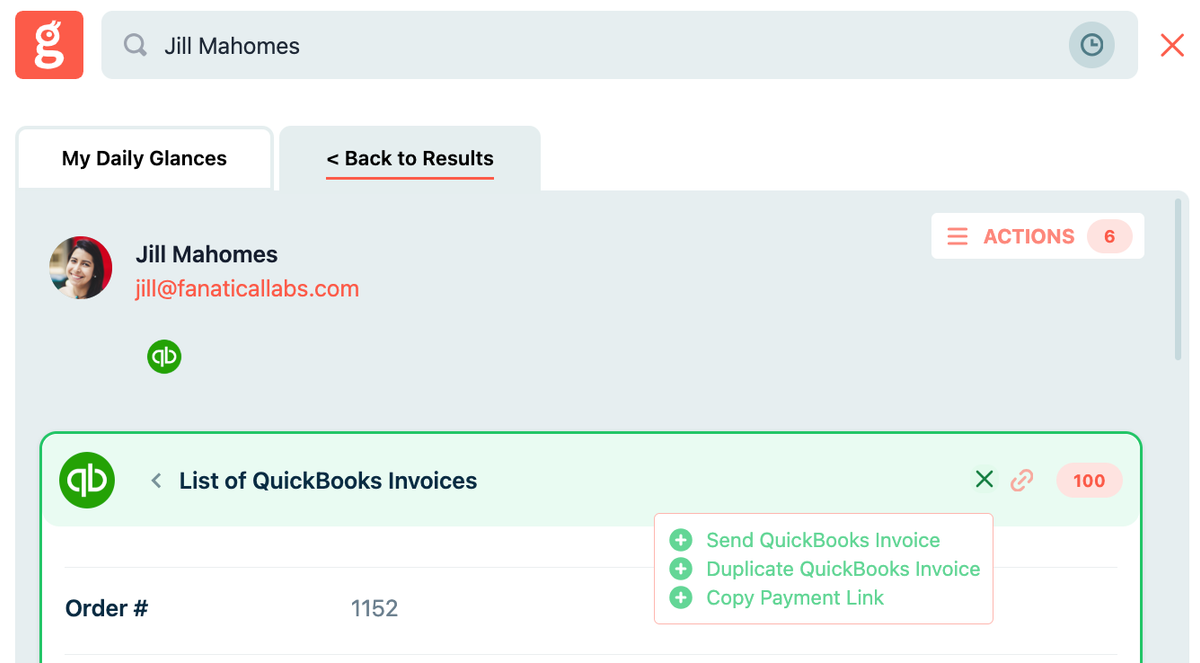
We have plenty of customers that spend a huge part of their workday in QuickBooks, so we’ve continued our quest of adding new Actions in 2025 that support streamlined accounting and billing workflows, specific to this popular app. Below are some of the new functions we’ve added this year:
- Copy customer-facing QuickBooks payment links for any contact, in a flash
- Edit QuickBooks invoices with new Action
- Edit QuickBooks estimates with new Action
- Create new invoices that are linked to QuickBooks Projects
- Create invoices in the correct currency with multicurrency support
Get the full idea for everything you can do with Glances and QuickBooks, so you and your team can keep your cool without all the logins, open tabs, and context switching.
2. Enhancements for monday and QuickBooks, together
Even as we approach another year in business, one thing remains true: monday and QuickBooks is a highly-preferred app pairing for many users.
Glances already offers flexibility in creating items like estimates, invoices, and customers, as well as in generating invoices—whether manually, pre-filled, or pulled from sub-items. This year, we’ve expanded these options with even more flexible ways to:
- Manage invoicing between QuickBooks and monday
- Sync specific data from QuickBooks to monday using post-Action app updates
Tip: While Glances can work anywhere online, monday users have the additional option to add Glances in-app with monday.
3. Helping regulated industries integrate the impossible
This year, we have been focused on helping mid to large businesses within highly-regulated industries ditch their typical pathway of needing costly two-way data integrations to make all their systems work together. Glances has shocked stakeholders with the ability to safely connect diverse applications, set up mapping for specific Actions, and onboard users in weeks compared to years.
Since Glances simply requires the initial setup time for single sign-on (SSO) and access to API accounts, these businesses can bypass the need for heavy IT involvement and draining additional departmental resources.
Learn how Glances differs from two-way data integrations.
4. Tailored options for managing your apps and data
2025 brought even more updates to our methods of keeping your data secure while also giving you flexible options to control it. Whether it’s personal, company, or customer data, you choose what insights are viewable across apps, which teammates have safe access to view them, and what Actions can level-up your team’s unique workflow. Below are a few ways you can take charge of your data and customize how Glances works with you:
- Connect your stack of business apps – any platform with an API can work!
- Set company roles and permissions with personal and team-shared app connections
- Give teammates safe access to data insights without access to company accounts
- Choose from built-in Actions to perform time-saving tasks across apps
- Activate post-Action app updates to sync select pieces of data across apps
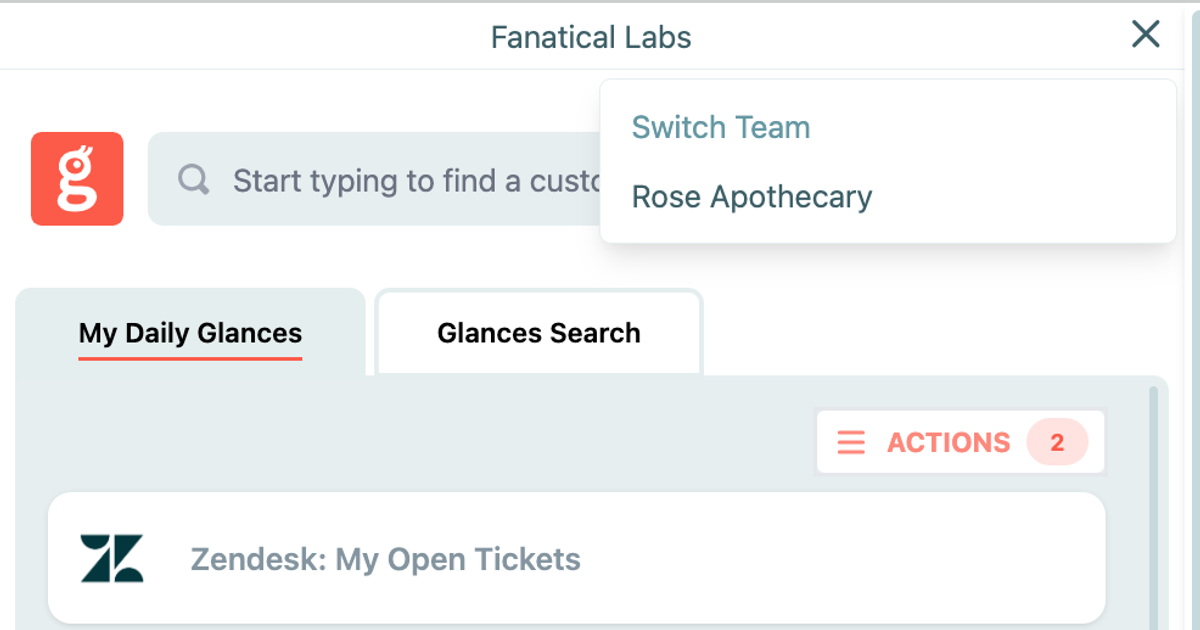
- Manage multiple company (or client) app accounts with our team select tool
5. Navigating your email inbox using Glances
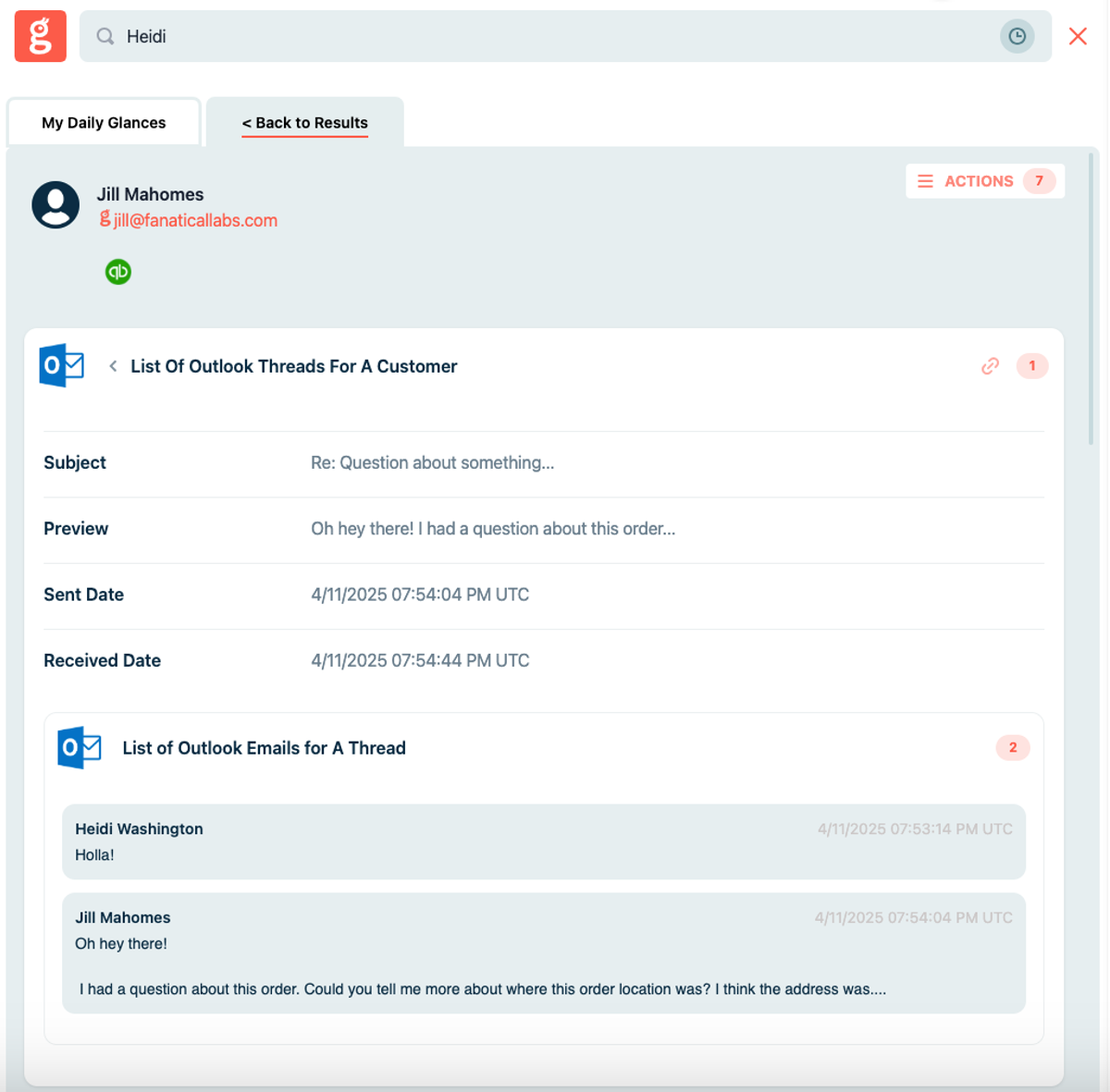
The daily drag of answering emails got more efficient in 2025, since we covered how email platforms like Gmail, Microsoft Outlook, and more can get connected with Glances to help you stay focused on email correspondence while also viewing data and handling tasks for other apps. If you feel like you “live” in your inbox, here’s a great example of how Outlook connected with Glances can change your world in 2026.
6. Front-end improvements made to Action Forms
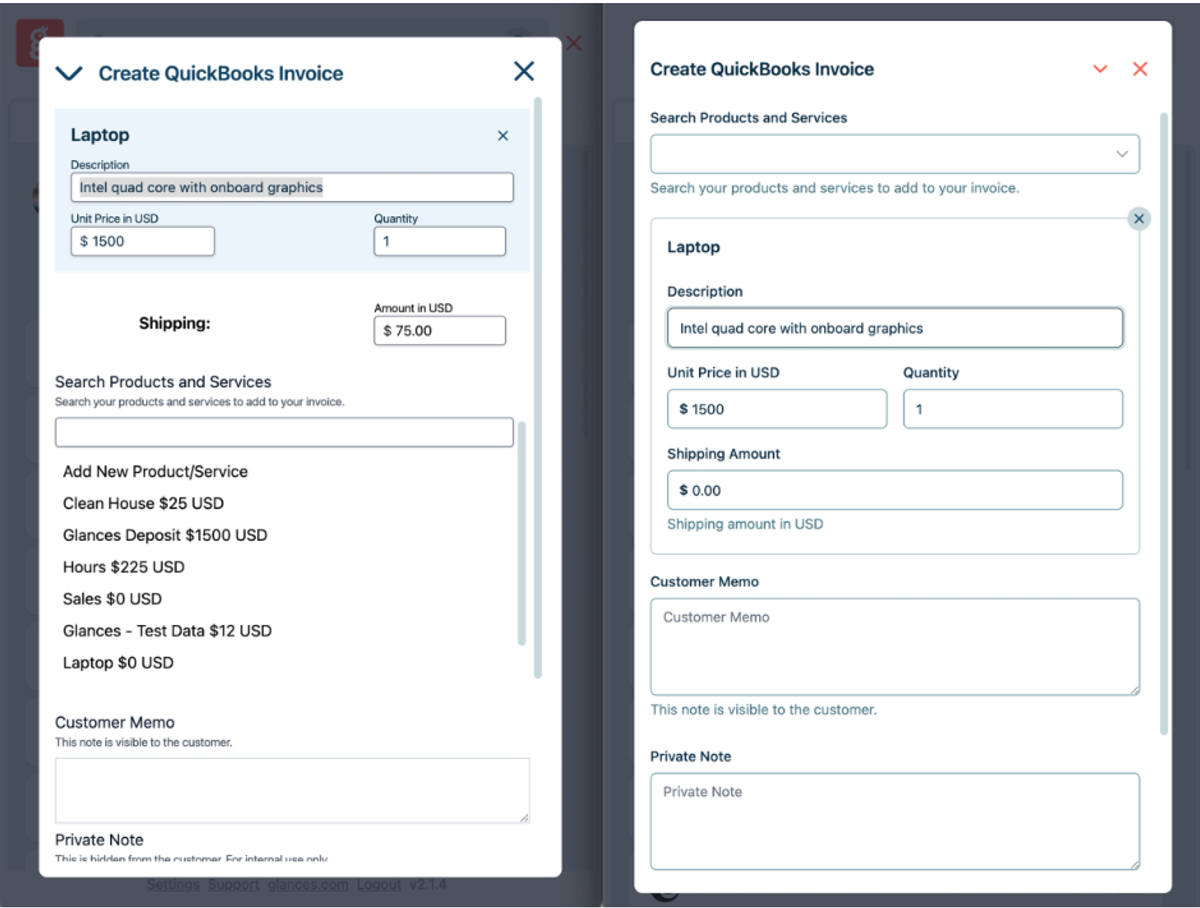
Earlier this year, our team improved the design and functionality of Action Forms, which included a sleek new appearance and enhanced keyboard navigation. Check out the before (left) and after (right) product shot below and learn more about this update.
If you are new here, Glances Action Forms are a user-favorite feature that help you save time by completing online forms specific to your workflow and across your multiple apps – all done directly within Glances.
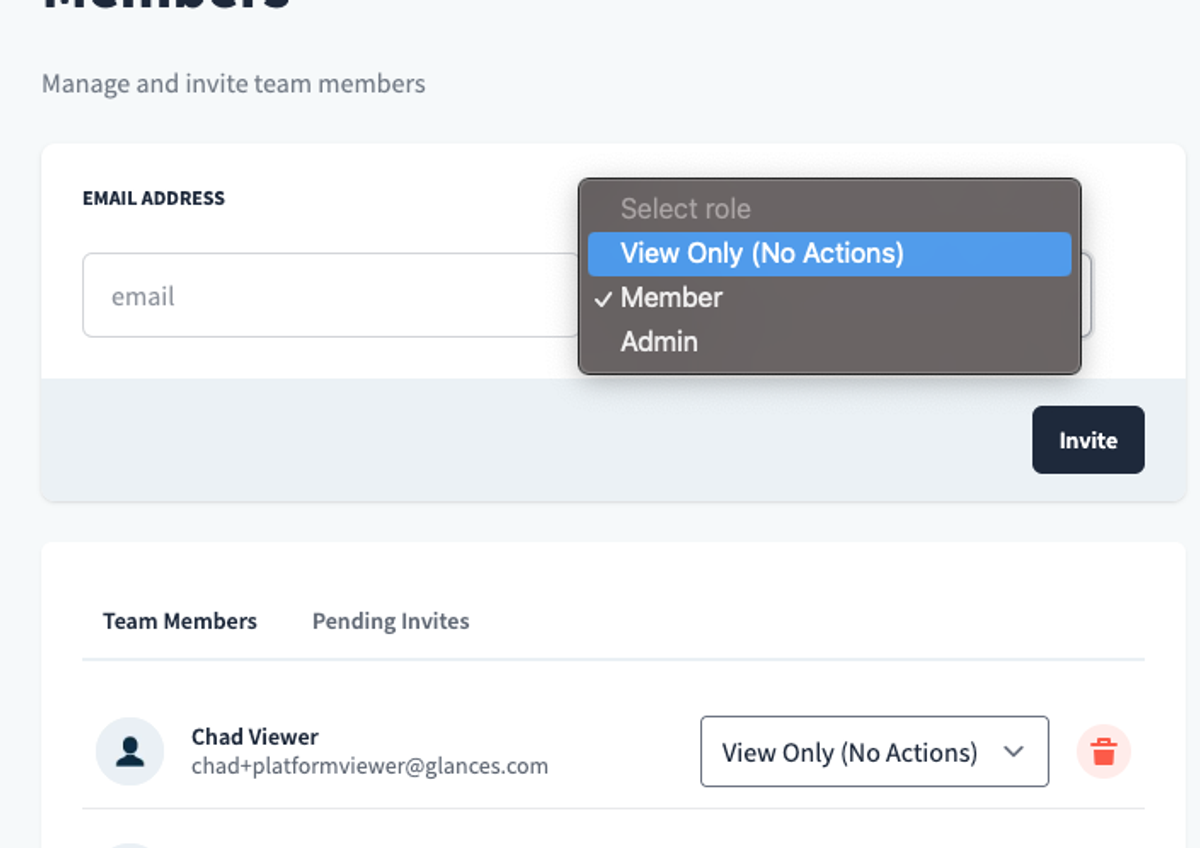
7. View-Only roles provide further control for Admins
Glances keeps building out smarter options for Admin-level users as the years pass, so we were happy to do a deep dive into View-Only roles in 2025.
View-Only users can see all the valuable customer and business insights that Glances brings together, but they cannot perform Actions or make updates that might impact records such as customer data points, billing information, sensitive account details, and so much more. This setting offers the perfect balance for teammates who rightfully need the visibility, but should not be responsible for editing, updating, or executing data-altering tasks in a company’s apps connected with Glances. Learn more about View-Only roles for Glances.
Let's kick some workflow SaaS in 2026 and beyond!
If you have a new feature or Action in mind for any of your apps connected with Glances that will make your dream workflows a reality, use our Request an Action calendar to select a time. In a quick meeting, we’ll briefly discuss your current apps, what roadblocks your team faces, and how Glances can streamline your processes.
More helpful steps
Schedule a demo to see the time-saving benefits of Glances in action or ask our team questions.
If you need to connect a specific app or platform with Glances that is not currently available on glances.com, please send your requests to hello@glances.com.
Find more step-by-step articles with the latest information on our support site.