New Feature: Customized Data Entry Forms for Your Unique Workflows

Record customer information in one place, anywhere online
Your team’s workflows for recording, organizing, and qualifying information for fresh leads and existing customers just got a lot simpler. Our development team just released Action Forms, the feature that enables you to complete online forms specific to your business and across your preferred apps, directly within Glances!
Whether you need to fill out pre-sales lead forms, update existing customer information, or collect data for a questionnaire, Glances Action Forms can seamlessly (and magically!) add completed data to other apps in your tech stack – from CRMs like Salesforce and HubSpot to apps like Gravity Forms, monday.com, Gmail, and Google Drive.
Forms can be ultra-customized and vary from simple to complex, such as grouping fields to expand and collapse, and having certain fields display dynamically based on the value of another field. The possibilities are open, it just takes working with our team’s process to understand your business and workflow needs. Let’s explore a few use case ideas below to see how it all can work.
Use case examples
If your business has an inside sales team taking daily calls with telephony software like RingCentral or DialPad, you can first use our Screen Pops feature to use the inbound phone number and auto-search Glances for a matching record. If a record is found, Glances can be configured to have any form automatically load for the rep to complete. Without ever leaving their platform of choice, the rep can easily fill out and save the form using Glances, which results in the same form data being conveniently saved to their app(s) of choice, such as their CRM.
How complicated can these forms be? We can create just about anything, but we’ll leave you with a few more examples below so you can get a feel for how Glances Action Forms can simplify your team’s data entry tasks.
Dynamic fields
Keep forms short and view only what’s relevant with dynamic fields. This feature enables you to show or hide certain fields or sections based on a field value entered or chosen.
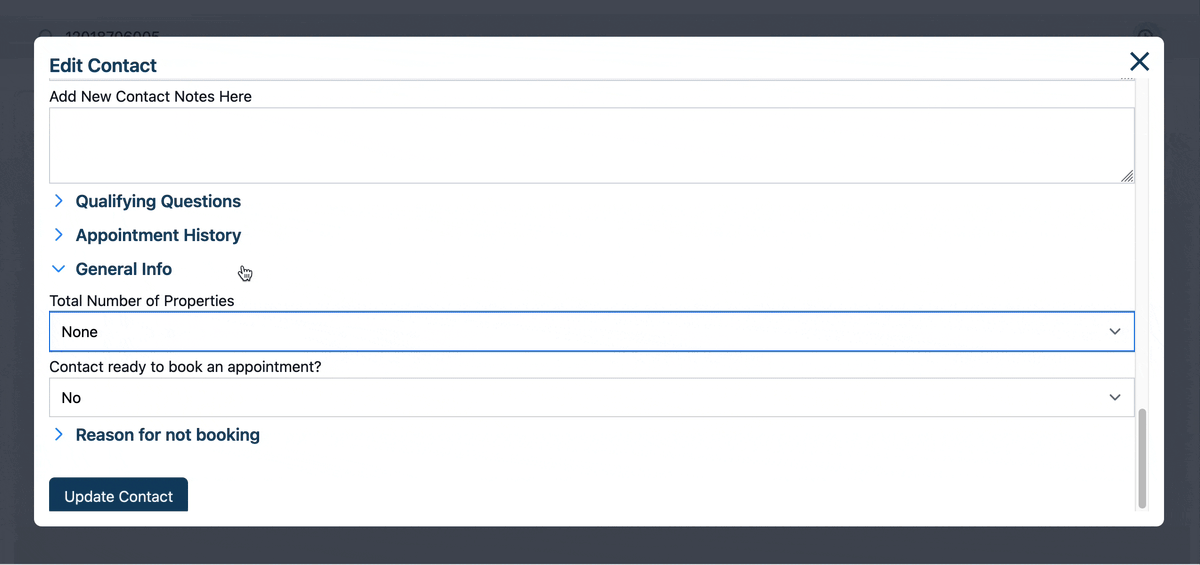
Read-only fields
Keep important data secure yet visible with read-only fields. Show fields that contain data that is useful for your team members to have access to without allowing them to change that data.

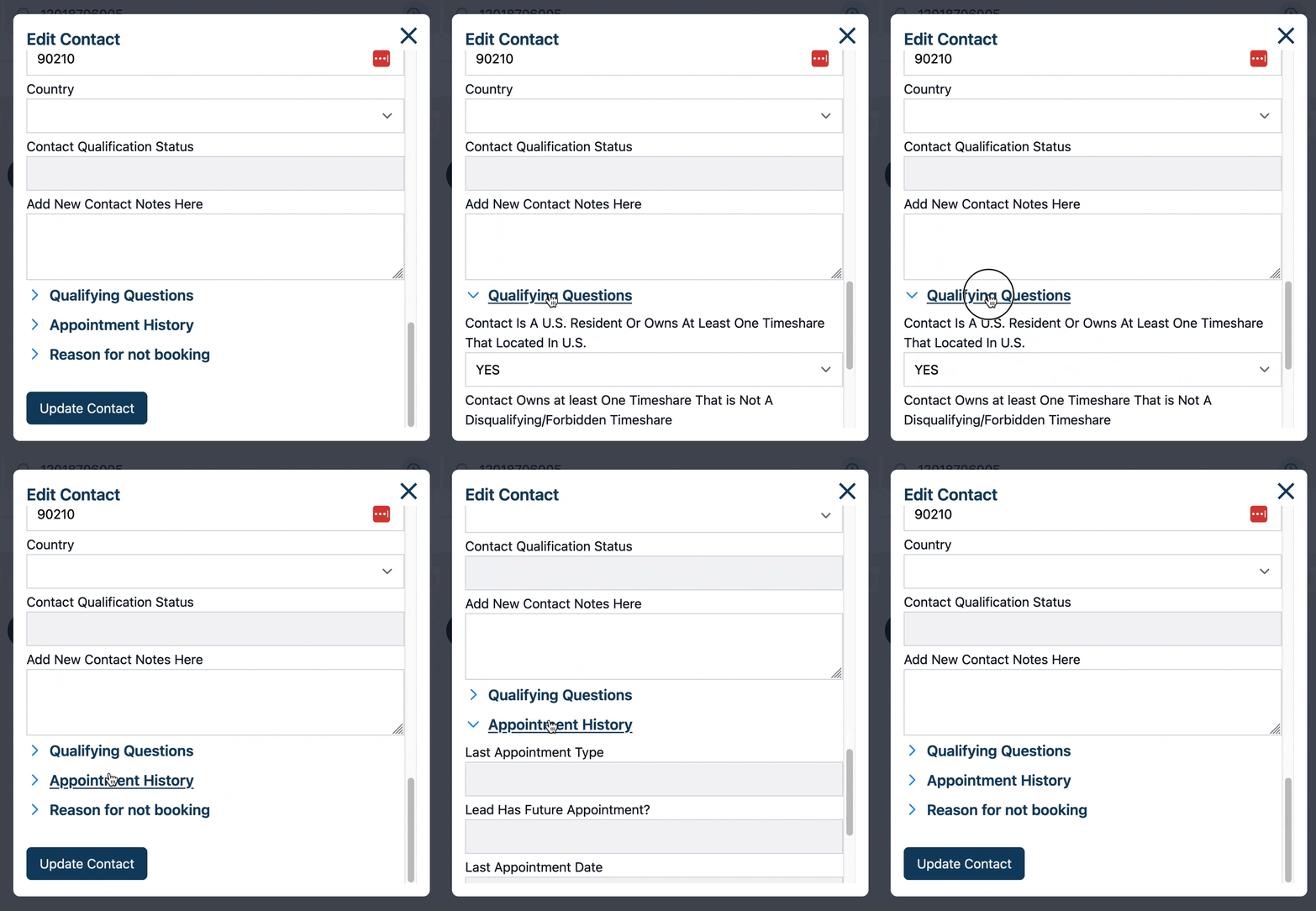
Collapsible sections
Make forms more manageable for your team by being able collapse or expand whole sections of fields. As mentioned early, these sections could even be triggered by other field values.
Data entry is often a necessary evil, but it doesn't have to be a huge, repetitive waste of time when Glances can simplify the process for you.
What custom forms can improve your daily workflow?
Did you know customized Action Forms are possible for any Glances user by request? If you have an action or function in mind for any of your apps connected with Glances that will make your workday simpler, we’re here for it. Use our Request an Action calendar to select a time to briefly discuss your current apps and needs with our team.
Integrate all your favorite apps and perform actions, using Glances
Start your free trial to connect your favorite business apps and access your data in one easy click, from any app or webpage. You can find and connect your apps when you are logged in to your Glances account.
More helpful steps
Schedule a demo to see the time-saving benefits of Glances in action or ask our team questions.
If you need to connect a specific app or platform with Glances that is not currently available on glances.com, please send your requests to hello@glances.com.
Find more step-by-step articles with the latest information on our support site.