Glances Action Forms Get Sleeker Look and Navigation

New front-end improvements made to Action Forms
Glances Action Forms are a user-favorite feature that help you save time by completing online forms specific to your workflow and across your multiple apps – all done directly within Glances and without navigating away from your work. Our dev team just launched an automatic update to improve the design and functionality of Action Forms, which includes a sleek new appearance and enhanced keyboard navigation. We’ll cover how these improvements look in the Glances platform below, but first note these important points:
- Changes are front-end only, so Action Forms will appear slightly different but work the same way
- Glances has updated this feature automatically, so there is nothing to do on your end
See the difference
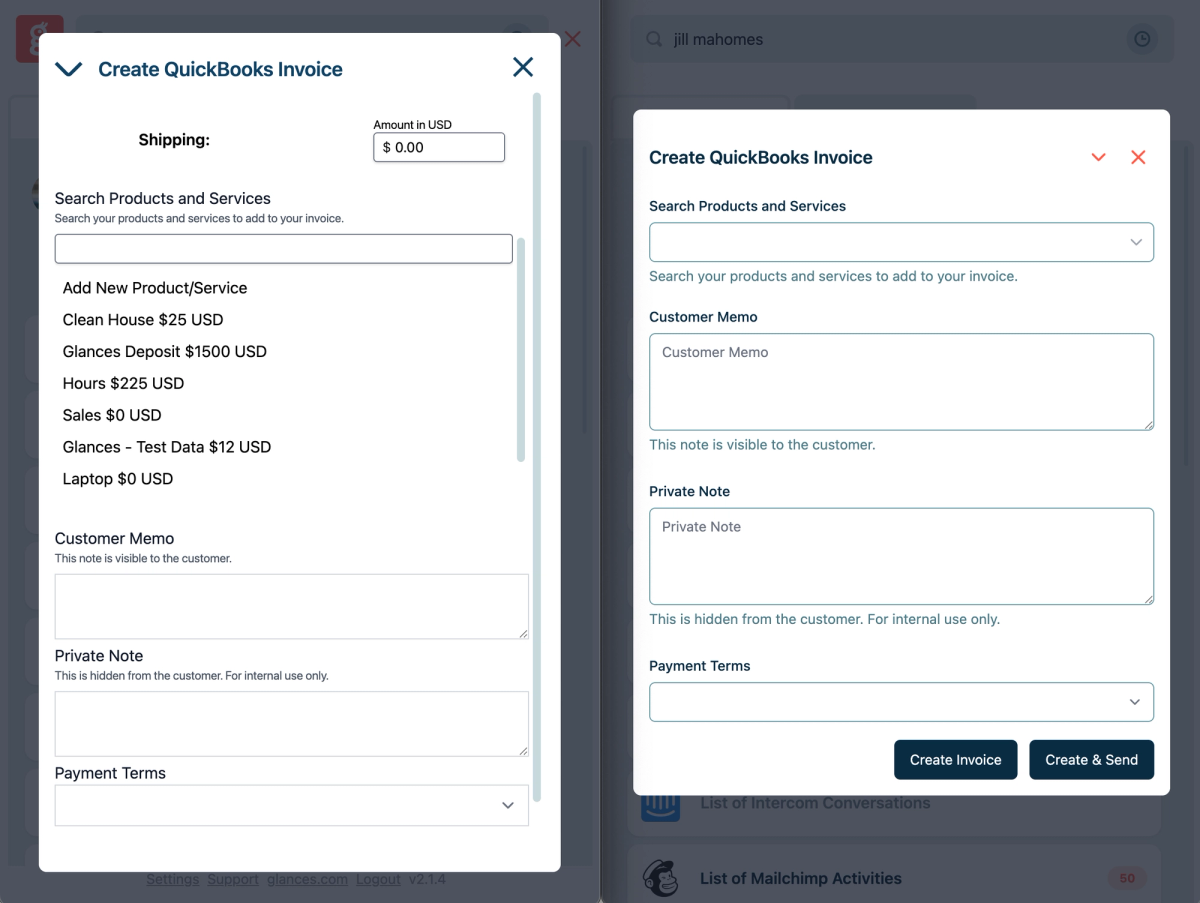
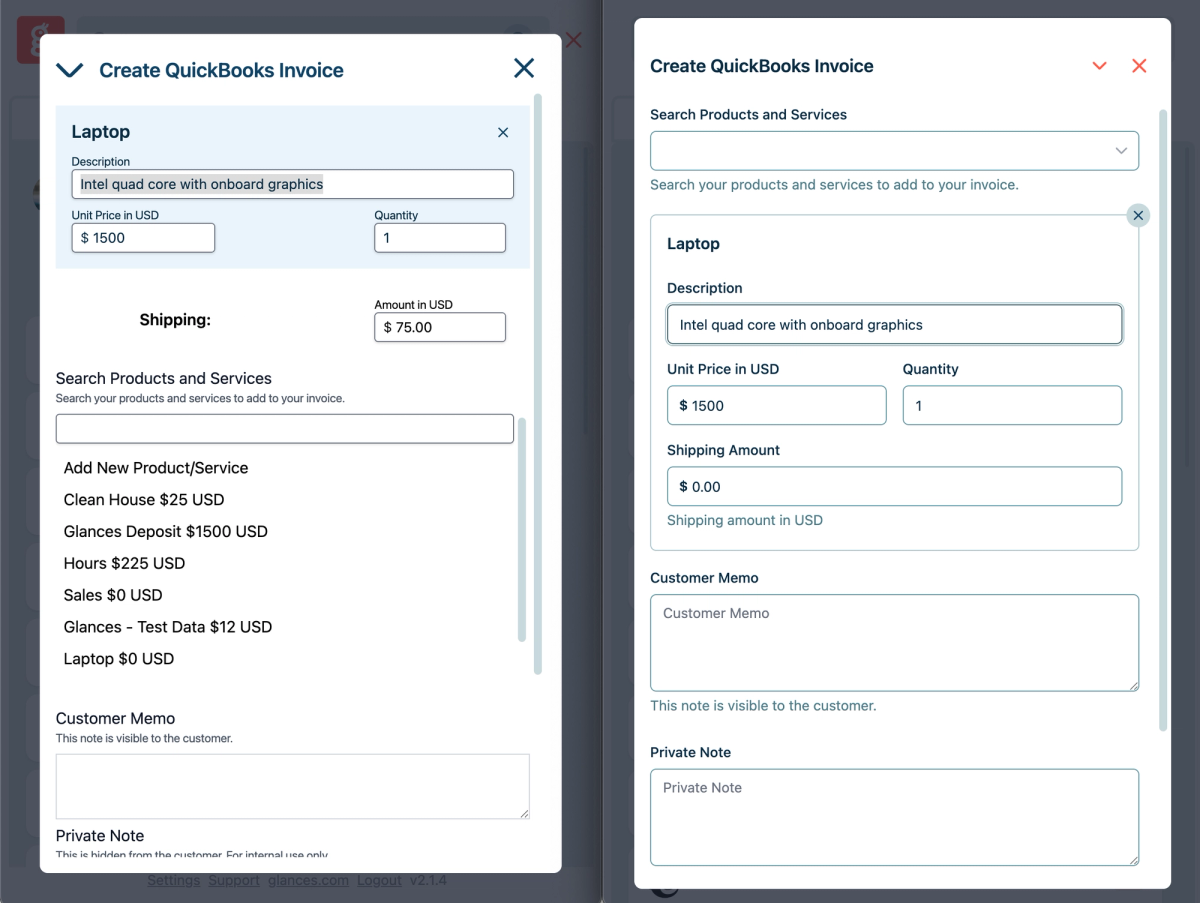
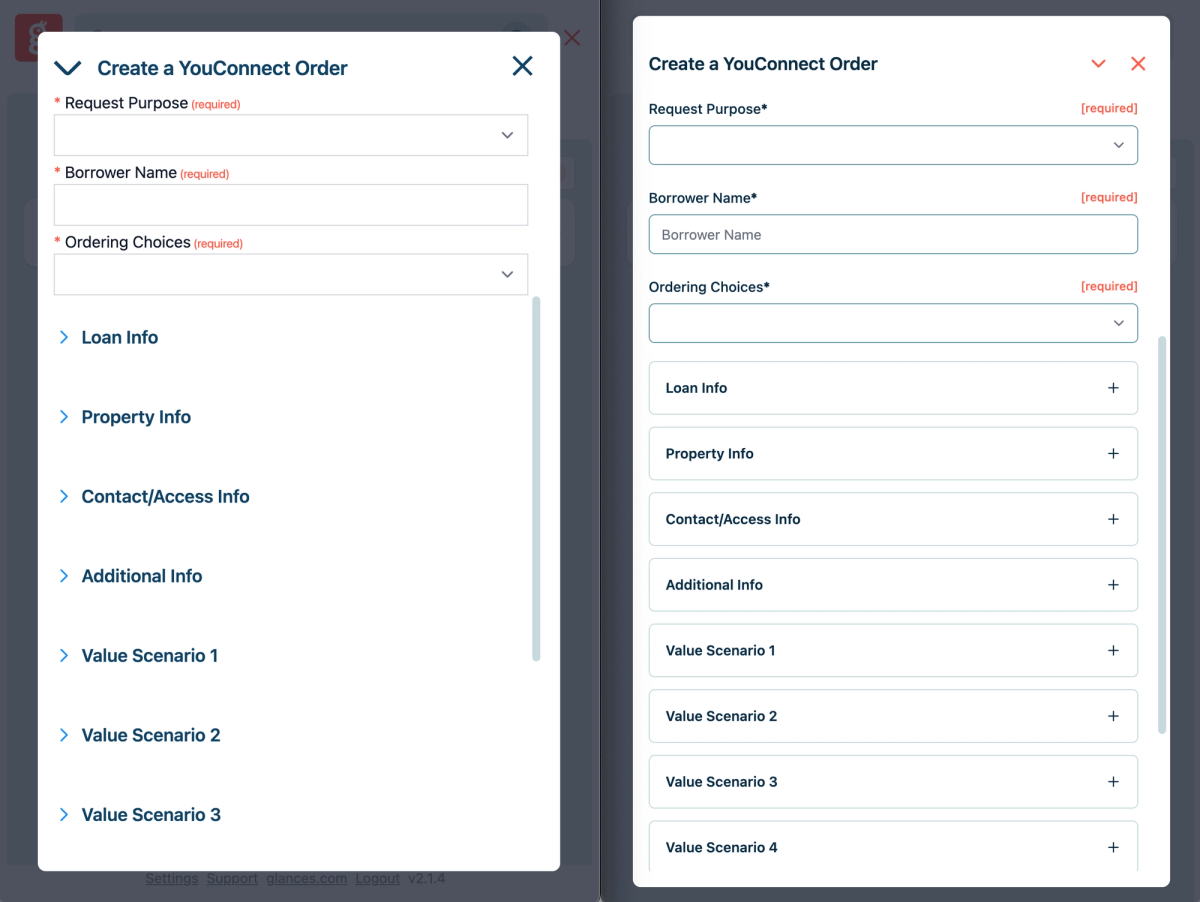
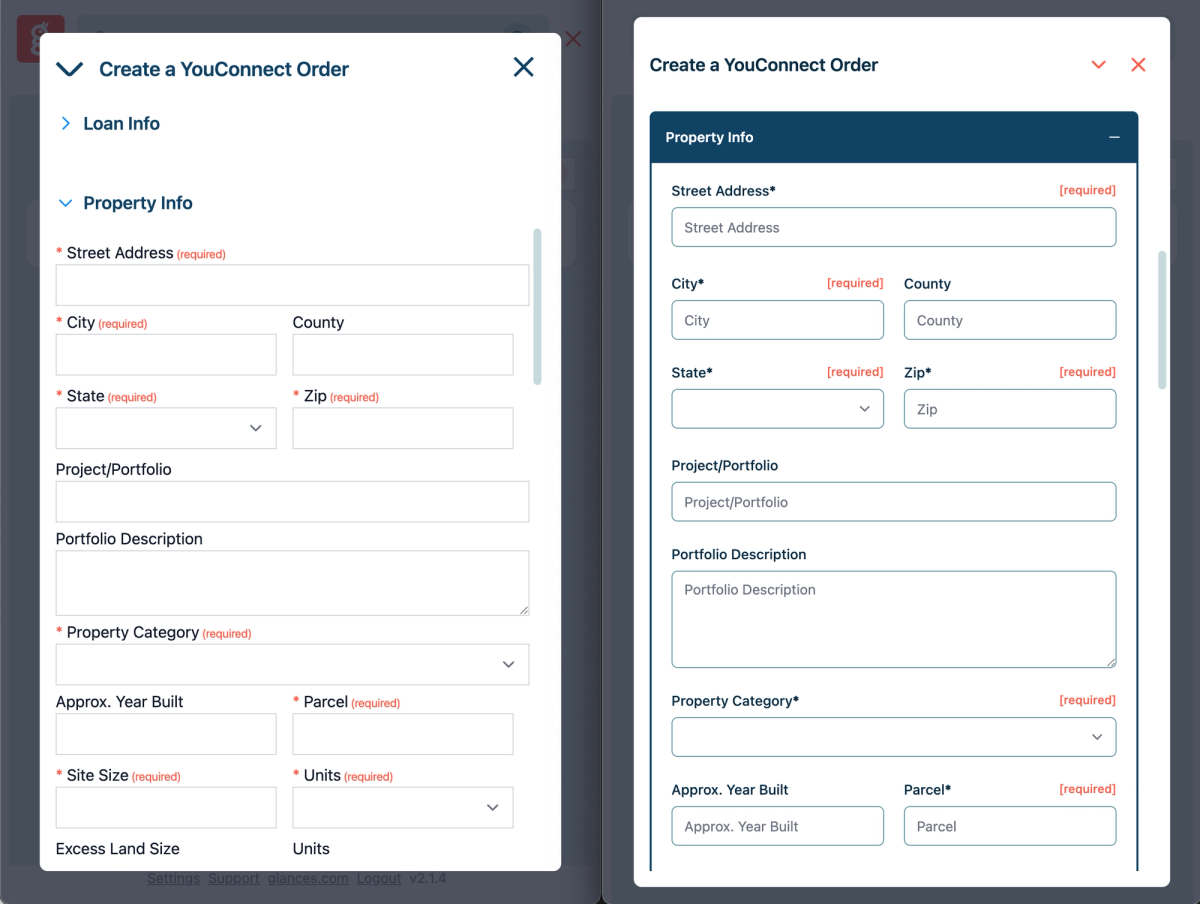
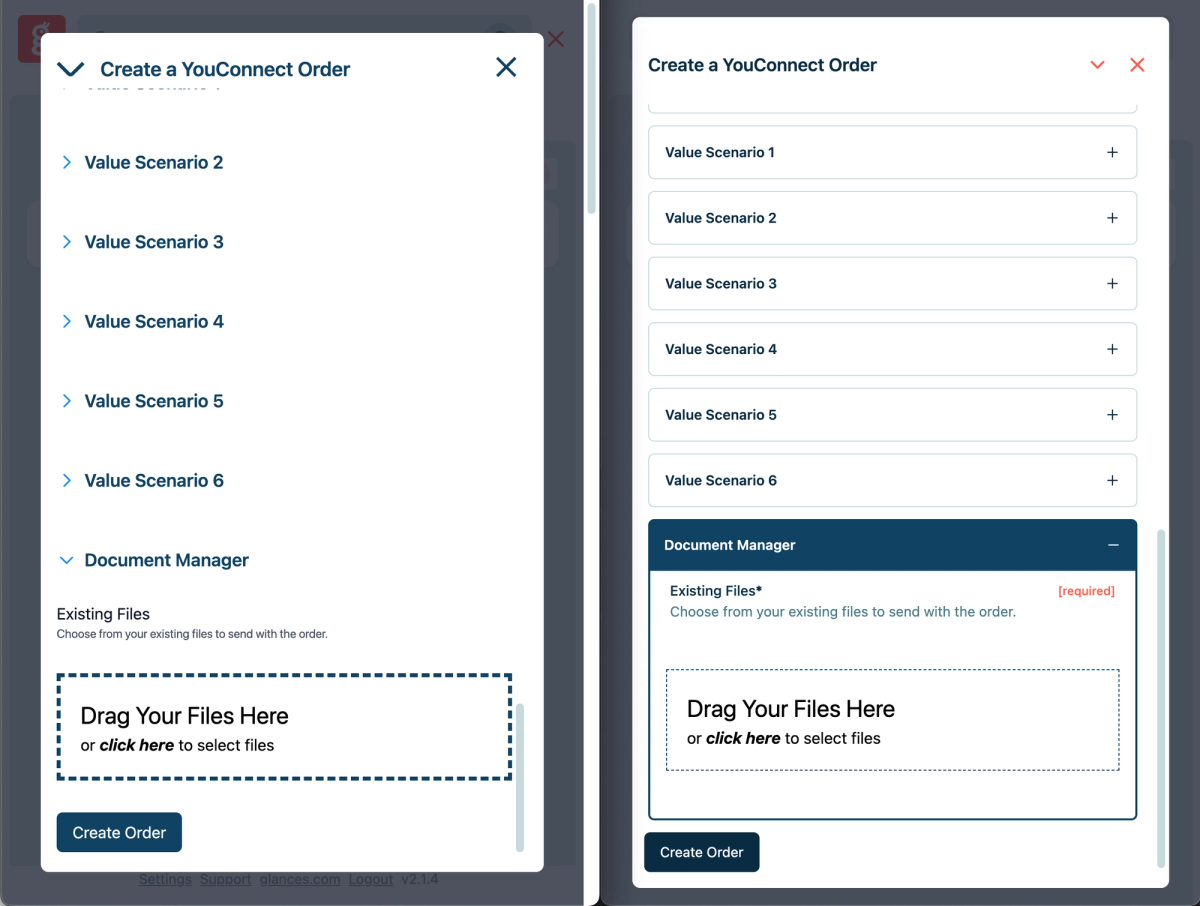
The following side-by-side product shots show the different look of Action Forms, with the old design on the left side and streamlined design on the right. If you prefer a mostly click-free experience, you can use enhanced keyboard navigation with these tips:
- Click Tab to navigate down form fields
- Hit Space to open/close fields
- Click Shift Tab to navigate back up form fields
Below are a few captures to show what the Action Form looks like to create a new QuickBooks invoice:
For our bank clients, here’s another side-by-side example that shows what the Action Form looks like to create a new YouConnect appraisal order:
Accelerate your Action Forms
Action Forms can be used to fill out pre-sales lead forms, update existing customer information, collect data for a questionnaire, and any other use case idea your team needs. Forms can be ultra-customized and vary from simple to complex, such as grouping fields to expand and collapse, and having certain fields display dynamically based on the value of another field.
While employing Action Forms alone simplifies the process of collecting and entering form data across apps, you can take this workflow helper to the next level with these options:
Pre-filled forms
Glances pre-filled forms are available to auto-complete forms on your behalf! Like having a personal workday assistant, this powerhouse feature enables you to spend less time on typing and data entry, which naturally reduces errors and the re-work needed to resolve them.
Post-Action app updates
Post-Action app updates automatically bring back select pieces of data to specific apps after you complete Actions. The use case ideas are practically endless, but one simple example is, you can create and send a new QuickBooks invoice using Glances, then have real-time data points such as invoice status and amount paid update in another app of choice, like monday.com.
Automate your forms and data entry workflows with Glances
New to Glances? We invite you to start your free trial, make your favorite business apps work together, and perform time-saving Actions. You can find and connect apps like Salesforce, QuickBooks, Zendesk, Stripe and more when you are logged in to your Glances account.
More helpful steps
Schedule a demo to see the time-saving benefits of Glances in action or ask our team questions.
If you need to connect a specific app or platform with Glances that is not currently available on glances.com, please send your requests to hello@glances.com.
Find more step-by-step articles with the latest information on our support site.