Merry Glances! Reviewing Our Top Product Updates of 2024

This year's dev updates are gifts that keep on giving
It’s hard to believe we are only two weeks away from entering the year 2025 (which by the way, sounds very futuristic). Before we catch your holiday out-of-office emails, we want to review and celebrate the coolest Glances development updates launched in 2024. From defining team roles and customizing the widget location to loads of new Actions and automations, these product milestones have helped teams connect apps and save hours of time, every day.
Check out the list below to get refreshed on the latest things you can do using Glances. From our team to yours, we wish you the happiest holiday season.
1. New QuickBooks Actions, galore!
If you practically “live” in your QuickBooks account during the workday, this update is for you. We added many new Actions for QuickBooks in 2024 to support your accounting and billing workflows, so you can keep working merrily without the hassles of toggling apps, making data entry mistakes, and constantly switching contexts. Learn everything you can do with Glances and QuickBooks.
On a similar note, Glances made huge additions for monday.com users that also rely on QuickBooks. While Glances can work anywhere online, note that monday users have the additional option to add Glances in-app with monday.
2. Bring back data with post-Action app updates
One of our team’s favorite new features of 2024, post-Action app updates automatically bring back select pieces of data to specific apps after you complete Actions. Though the use-case ideas are endless for your team, this blog article provides a good example of how post-Action app updates can help you further optimize your daily workflows.
3. Enjoy (safe) data views for select teammates
Not all data is meant for all eyes, so this year we really focused on who can view what data (and perform Actions) along with admin-selected roles for teams. Data that is meant for a collective group falls under team connections, while data that is personal and only relevant to specific teammates falls under personal connections. Learn how you can hyper-customize Glances for individual team members by first determining company roles. This ensures employees get the right data insights without direct access to core accounts, helping to keep your data clean and eliminate mistakes.
4. Manage multiple app accounts
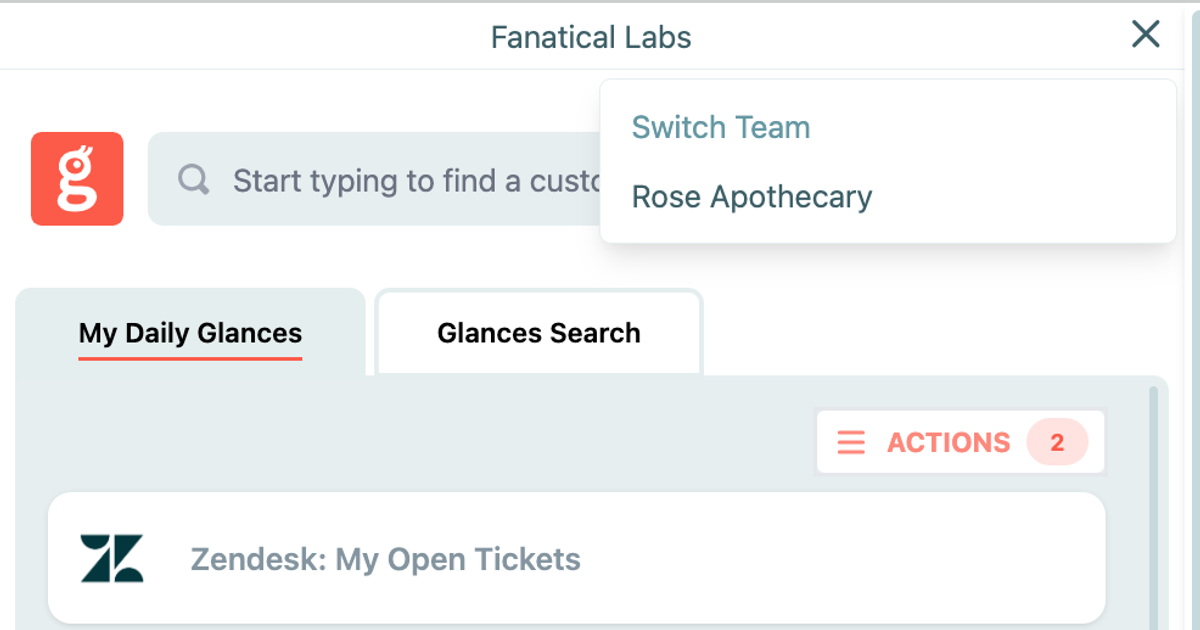
From standard businesses representing one brand to parent organizations managing multiple companies, Glances works as flexibly as your unique structure requires. This especially rings true for handling multiple app accounts and users on more than one team. Using the team selection feature, users can quickly toggle between different app accounts while using Glances without logging in and out of app accounts, navigating away from work, or wasting valuable time. Here are 3 easy ways to switch teams on glances.com, directly in the Glances browser extension, or in-app with monday.com.
5. Ditch data entry with pre-filled forms
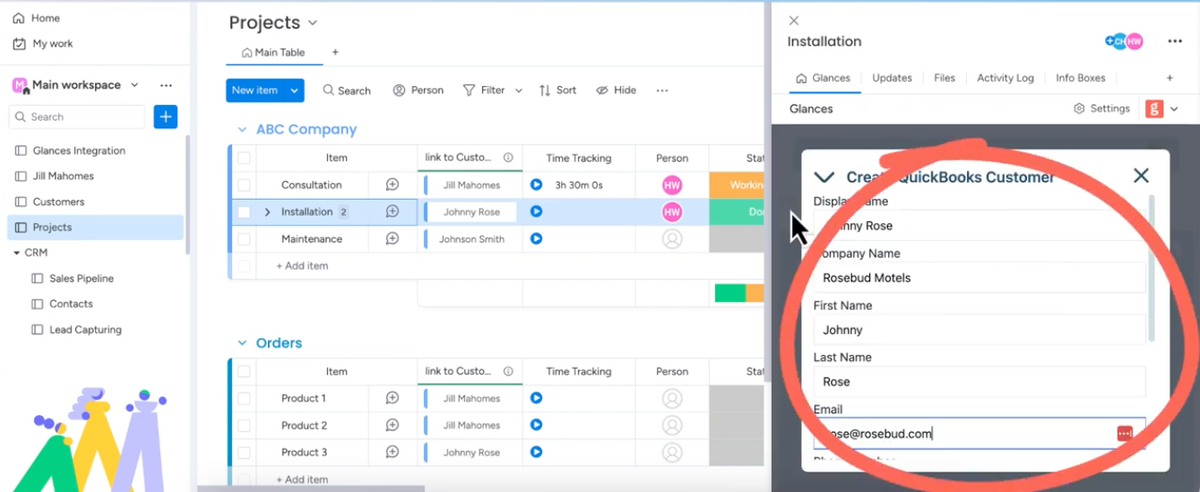
Having to manually type or copy/paste the same details from one business app to another is not only a frustrating time-suck, it takes you away from the talent-based work you were hired for. Glances Actions already have a stellar reputation for helping you complete time-saving tasks across apps, but our pre-filled forms take that magic to the next level by auto-completing forms on your behalf! Learn how it works.
- Wiz through invoice and estimate creation with barely any typing
- Keep your customer records up to date without lifting a finger
- Speed up expense reporting by auto-filling details from receipts or POs
- Easily fill out requests in custom platforms without breaking a sweat
6. Now connecting bank software for banking teams
This year, along with our partners at Realwired, we entered a new and exciting vertical: Glances for banks! Just like any business that relies on various SaaS apps to accomplish daily work, banks are experiencing a huge disconnect in platforms that don’t work together, causing duplicate data entry errors and hours of wasted time from tab toggling between various systems. Glances offers banks an entirely fresh and unconventional way to securely integrate their banking platforms and any other API-based applications. Learn more about Glances for banks.
7. Organize your search with files and folders tabs
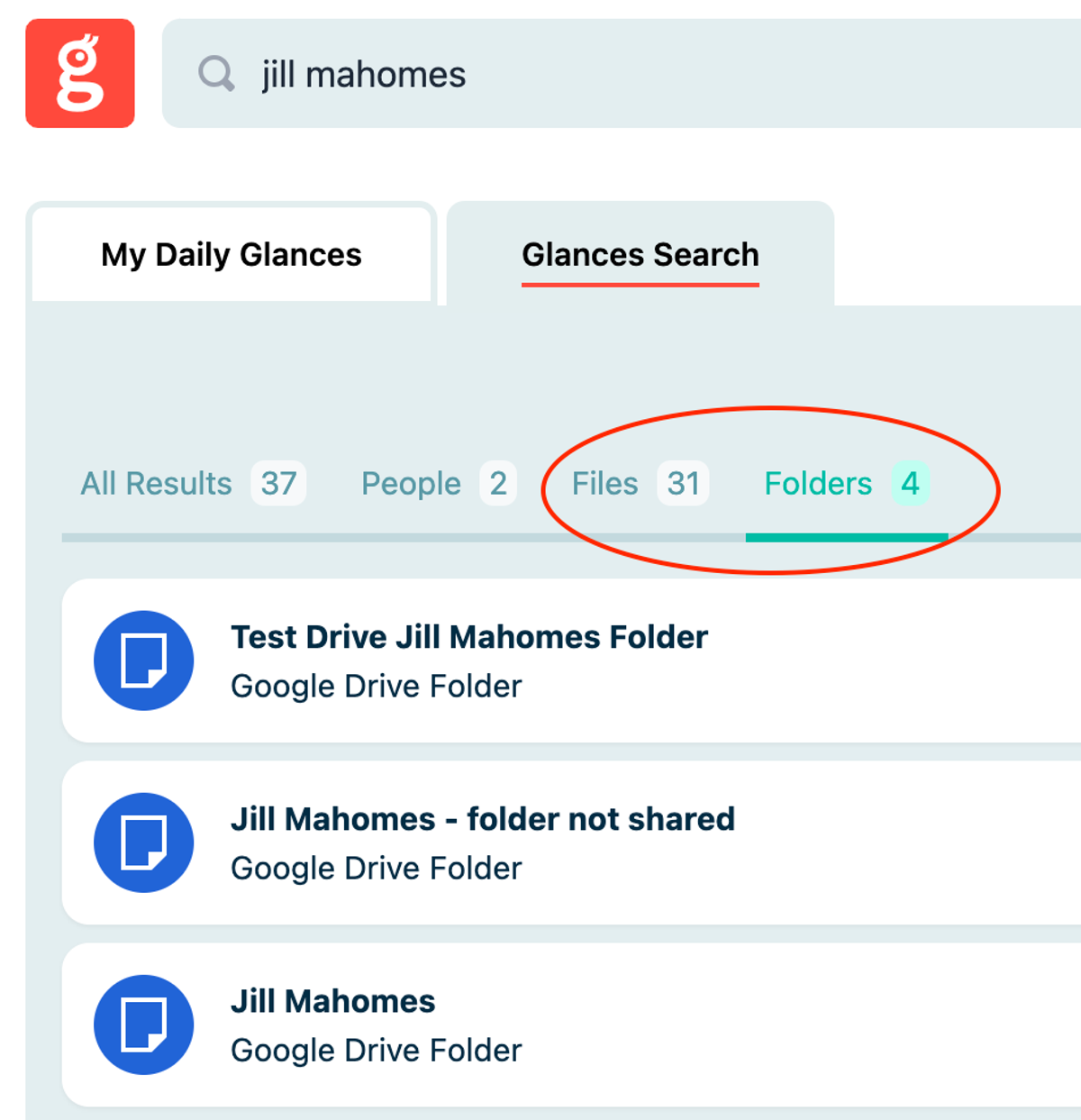
Searching got more organized in 2024. If you are using Glances to quickly search, find, and open your files while working anywhere online, you have probably noticed a helpful improvement. For optimal organization, search results now show your files and folders in separate tabs, helping your scanning eyes to locate important documents across various cloud-storage apps faster than before. Prior to this automatic update, files and folders both lived within the Files tab.
8. Customize your Glances widget location
This year, our development team released an update which enables you to click, drag, and drop the Glances widget to any location within your web browser. Once the location has been changed, Glances will remember it until you move it again, whether it's 5 days or 5 seconds later. This small-yet-powerful change makes Glances easier to find and use based on your personal preferences.
9. Add Glances as SugarCRM dashlet
If your team uses SugarCRM to manage your customer data and sales processes, you have likely heard of dashlets as a functional feature that helps personalize your CRM experience. We’ll cover a few important details about why you might consider adding this particular dashlet, based on how you like to view and navigate your customer data within Sugar. Otherwise, here’s your courtesy reminder that Glances already works flexibly within SugarCRM, any business app, or any webpage – dashlet or no dashlet.
Let's rock your workflows in 2025 and beyond!
If you have a new feature or Action in mind for any of your apps connected with Glances that will make your dream workflows a reality, use our Request an Action calendar to select a time. In a quick meeting, we’ll briefly discuss your current apps, what roadblocks your team faces, and how Glances can streamline your processes.
More helpful steps
Schedule a demo to see the time-saving benefits of Glances in action or ask our team questions.
If you need to connect a specific app or platform with Glances that is not currently available on glances.com, please send your requests to hello@glances.com.
Find more step-by-step articles with the latest information on our support site.