Simplify Client Management and Invoicing with monday and QuickBooks

From leads to invoices, Glances empowers your monday and QuickBooks processes
Launched in 2022, monday sales CRM is quickly becoming a top platform businesses use to manage their sales cycle. While monday sales CRM is customizable, you’ll find that monday.com includes pre-built boards when you first create your account. These boards include:
Accounts Board: Organizes information related to client accounts.
Deals Board: Tracks the progress of sales deals.
Leads Board: Manages potential customers or leads.
Contacts Board: Stores contact information for leads once they are qualified.
Activities Board: Keeps track of various sales activities and tasks.
These boards are interconnected which makes it simpler to move a customer from one sales stage to another, from the beginning all the way through to your product or service fulfillment stage. Enhancing these capabilities with QuickBooks makes for a game-changing duo to streamline your work. This powerful combo is made possible by Glances, which connects monday, QuickBooks, and your other workplace apps quicker than any integration out there.
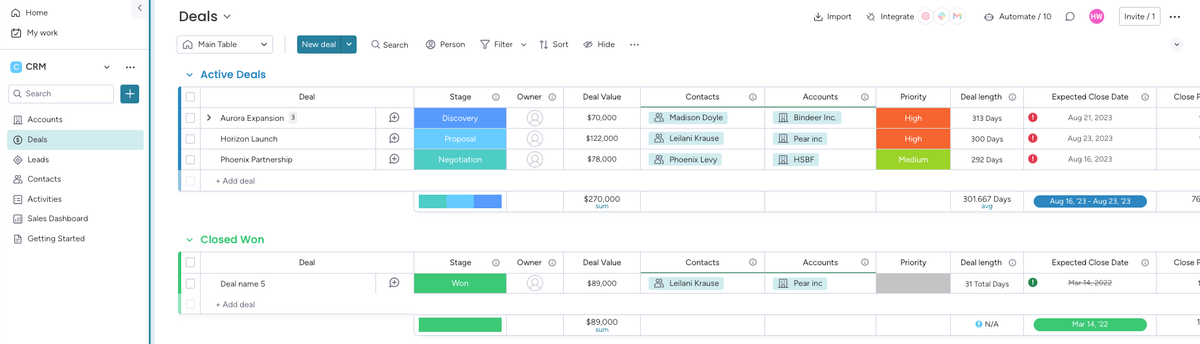
Organizing boards for your team's processes
Here’s a great way to organize your work: When you get beyond the lead stage and you’re ready to actually invoice your clients, use the Accounts Board to maintain a comprehensive view of all your clients. Focused on managing overall client relationships and details, such as historical interaction, company industry, or type, this allows teams to maintain a holistic view of each client you have. This feature is key to meeting client needs and fostering positive and loyal relationships.
Meanwhile, leverage the Deals Board to track and manage each opportunity or project associated with your clients. This setup not only allows you to easily view each deal and their status you have but also ensures you have the flexibility you need for multiple deals per account, so you can keep your customers coming back over and over with ease and simplicity.
Using both boards in tandem encourages a specialized approach to managing each unique aspect of the sales cycle and the client relationship.
Glances makes monday and QuickBooks work together, better
By harnessing the strengths of both monday sales CRM and QuickBooks through Glances, your business can achieve a smoother, more integrated sales and financial management process. When you’re ready to invoice, use Glances to create a new QuickBooks invoice directly from monday’s item view. When you do this, we’ll pre-fill relevant details from the deal into the invoice, cutting down on manual data entry and reducing your burden.
Glances is here each step of the way. When you’re ready to streamline your monday and QuickBooks use, schedule a demo to get started with Glances. We’ll work with you to connect your apps and set up field mapping for a smooth invoice process.
Click to schedule an onboarding call or reach out to us at support@glances.com.
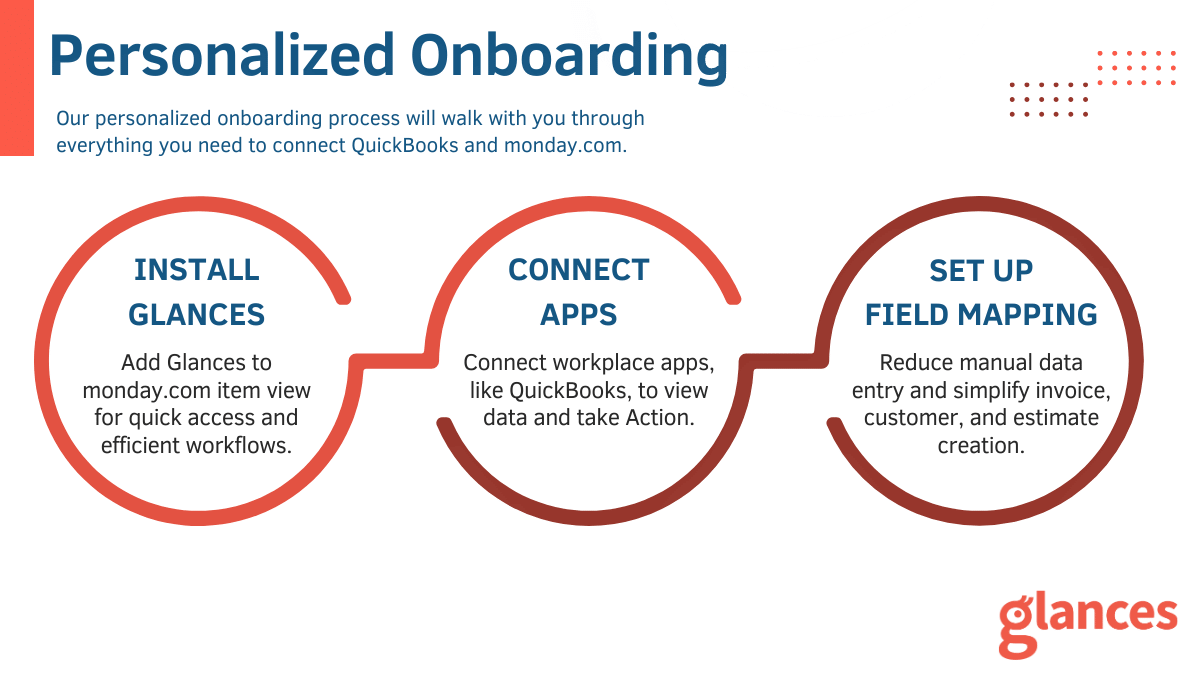
What to expect during your onboarding call
- Learn About Your Work: Each business is unique so we’ll chat about yours to learn what you do and what you need. Understanding your process and requirements helps us configure Glances.
- Install Glances: Adding Glances to the item view allows you quick access to all your data and enables you to take Action with ease.
- Connect QuickBooks: We’ll walk you through connecting QuickBooks and other favorite workplace apps, if needed.
- Configure Mappings: We’ll set up Glances to pre-fill relevant data into invoices, estimates, and more so that you create new QuickBooks records without retyping or copy/pasting from one platform to the other.
Glances makes all your business apps work together
Glances securely connects all of your business apps, empowering you and your team with a 360-degree view of customer and personal data while working anywhere online. Built with patented, no-code technology and backed by 5-star support, Glances has reimagined software integrations with all of the convenience and none of the data-syncing, downtime, and maintenance costs. You can find and connect support software like monday.com, QuickBooks, Intercom, and many others when you are logged in to your Glances account.
Start your free trial today.
More helpful steps
Schedule a demo to see the time-saving benefits of Glances in action or ask our team questions.
If you need to connect a specific app or platform with Glances that is not currently available on glances.com, please send your requests to hello@glances.com.
Find more step-by-step articles with the latest information on our support site.