Feature Update: Manage Multiple App Accounts with New Team Selector

From standard businesses representing one brand to parent organizations managing multiple companies, Glances works as flexibly as your unique structure requires. This especially rings true for handling multiple app accounts and users on more than one team. This week (and by customer request), our development team released the new team selection feature, which helps users quickly toggle between different app accounts while using Glances. No logging in and out of app accounts, no navigating away from your work, and no wasting of your valuable time and focus.
We’ll first cover the best use cases for this feature, then show you how simple it is to switch teams on glances.com, directly in the Glances browser extension, or in-app with monday.com.
You can benefit from using team selection if you...
✔️ Have multiple product instances you need to view (such as two companies within QuickBooks)
✔️ Are a consultant managing multiple company platforms
✔️ Use two (or more) app instances to manage multiple brands for your company
Having this tool at your fingertips is great for accountants, executive assistants, customer support agents, marketing and creative firm reps, and anyone that needs to manage multiple accounts for their company and/or clients. Fractional employees and advisors across all industries are an excellent fit for this functionality as well.
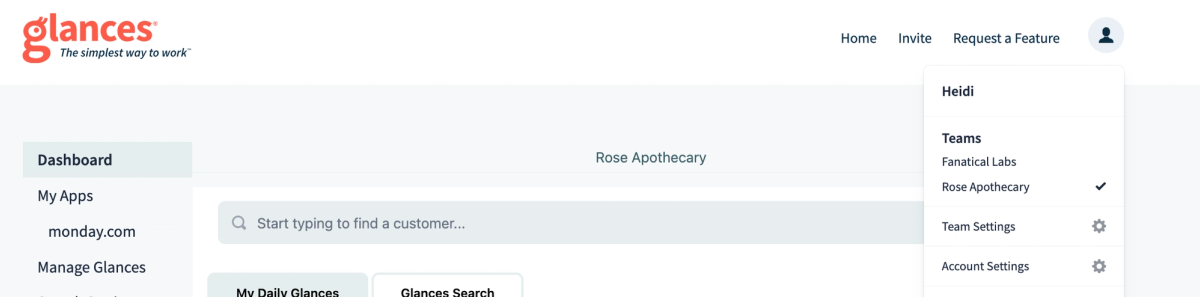
1. How to switch teams on glances.com
- From within glances.com, click your profile icon in the top-right corner.
- Click the team you'd like to view.
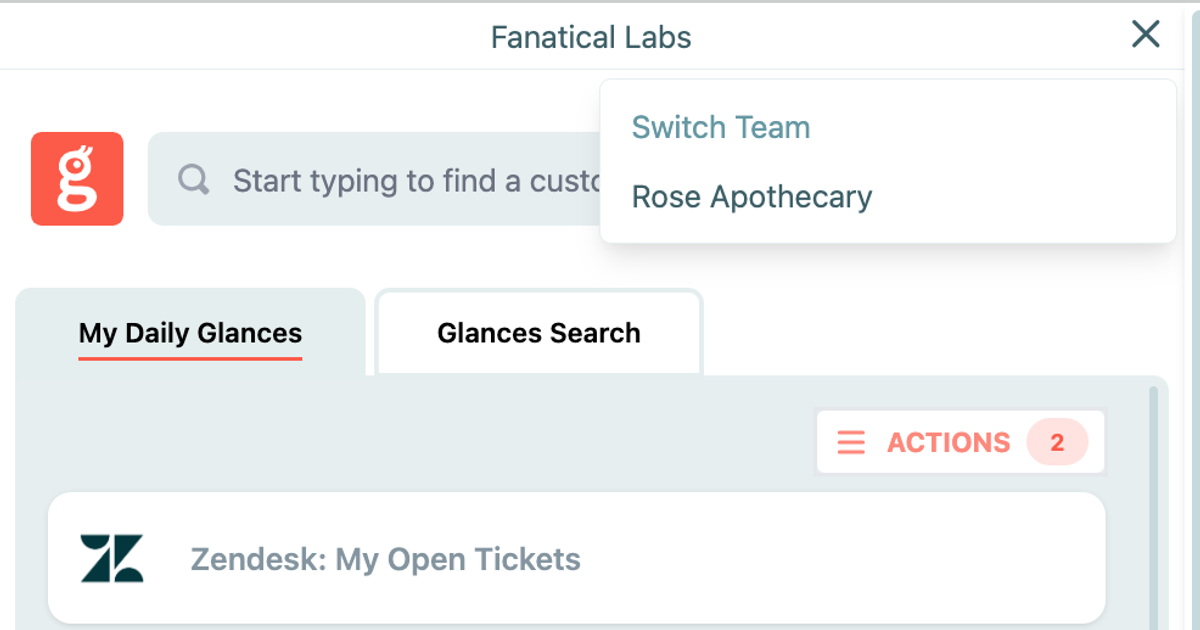
2. How to switch teams within Glances browser extension
- Click to open the Glances browser extension.
- Click on the team selector icon in the top right corner of the app.
- Select the team you'd like you view.
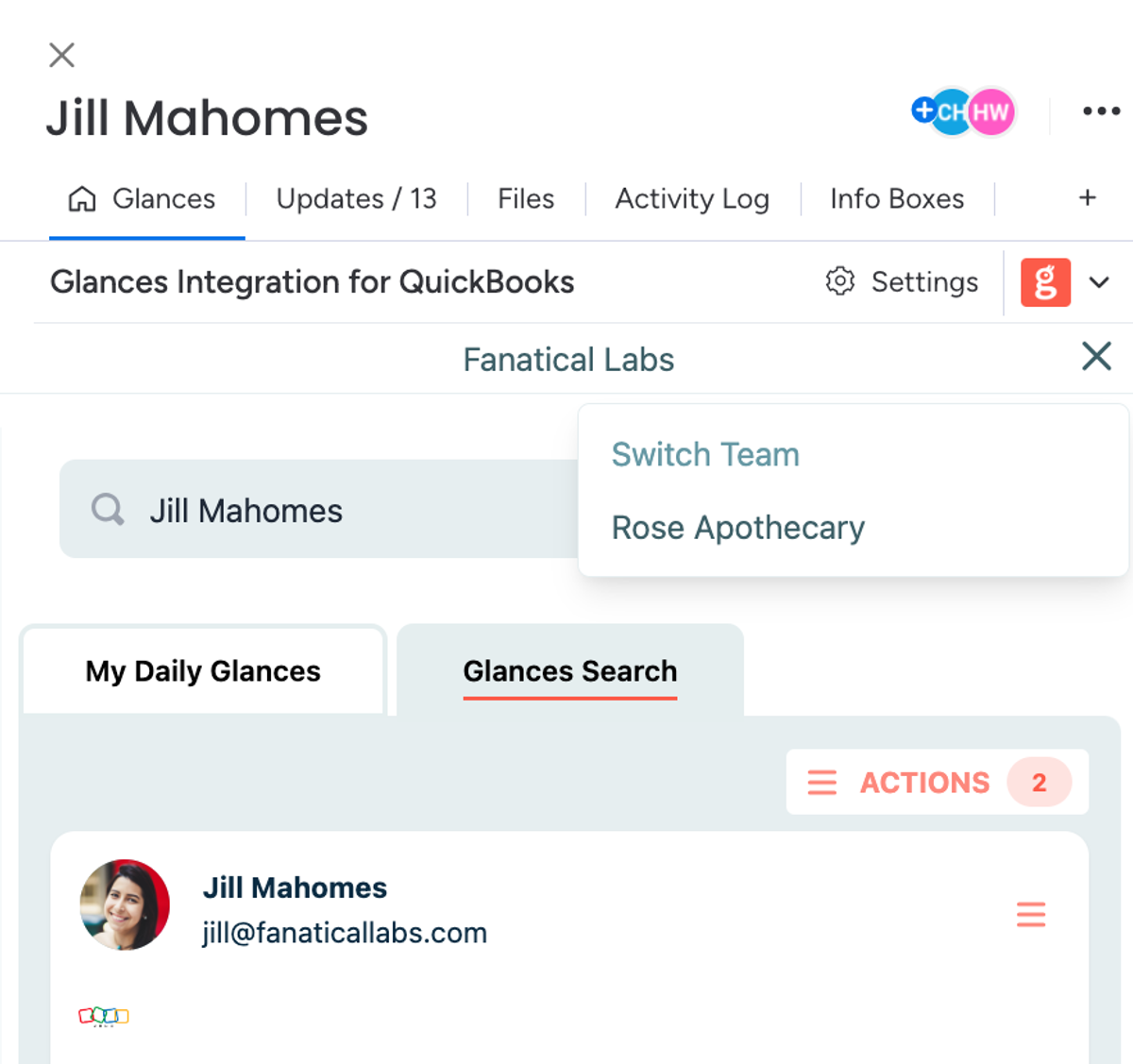
3. How to switch teams in-app within monday
- From within monday.com, open the item view and click on the Glances app.
- Click on the team selector icon in the top right corner of the app.
- Select the team you'd like you view.
What features can improve your daily workflow?
Did you know new functions are possible for Glances users based on customer demand? If you have a new feature or Action in mind for any of your apps connected with Glances that will make your dream workflows a reality, use our Request an Action calendar to select a time to briefly discuss your current apps and needs with our team.
Integrate all your favorite apps and perform Actions, using Glances
Start your free trial to connect your favorite business apps and access your data in one easy click, from any app or webpage. You can find and connect QuickBooks and more apps when you are logged in to your Glances account.
More helpful steps
Schedule a demo to see the time-saving benefits of Glances in action or ask our team questions.
If you need to connect a specific app or platform with Glances that is not currently available on glances.com, please send your requests to hello@glances.com.
Find more step-by-step articles with the latest information on our support site.