Your Guide to Glances Actions

Working smarter and not harder becomes reality when you employ Glances Actions to automate daily tasks that typically can’t be automated. Today we are ditching the tech-speak to break down everything about Actions in its simplest form: what this user-favorite feature is, how it streamlines processes, and how it can also pre-populate or sync select data that is meaningful to your workflows.
What are Glances Actions?
In the simplest form, Glances Actions help you create or complete something for one app while working in another app.
Check out the workflow examples below:
- Work in monday.com and create, edit, and send invoices for QuickBooks
- Work in Gmail and add new leads for Salesforce
- Work in HubSpot and create new support tickets for Zendesk
- Work in nCino and create new appraisal orders for YouConnect
- Work in Constant Contact and complete registration forms for Eventbrite
- Work in CallRail and create records in GoHighLevel
Imagine all the ways your team could benefit from working in [app] and [doing task] for [app]. What would your workflow formulas look like? Whether you work with 3 to 300 apps, Glances can accommodate your team’s unique stack of apps because its patented, no-code technology can connect with any platform that has an API.
How do you access Glances Actions?
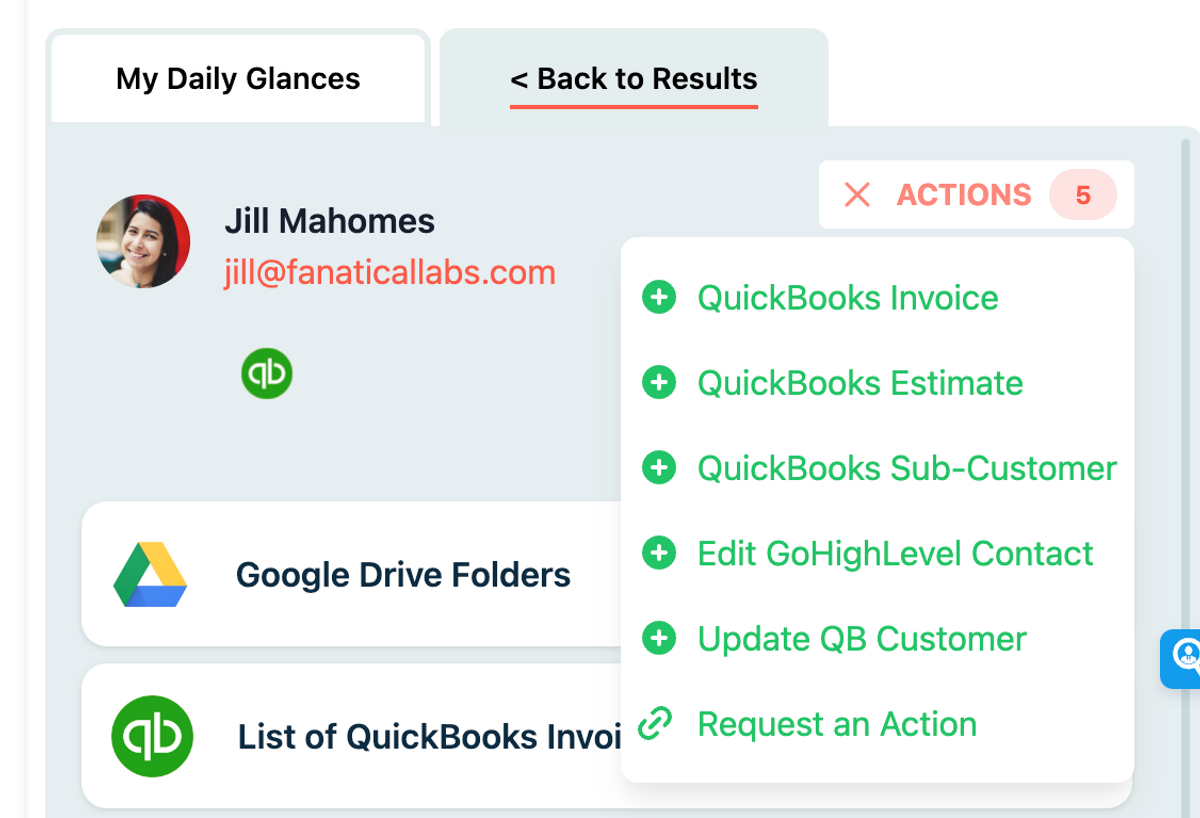
Glances Actions are a feature you locate directly within Glances by clicking on the Actions menu. From there, a dropdown menu will show your available Actions, from built-in to custom-made for your business. Actions appear based on the type of applications you have connected. As one example, we have many built-in accounting Actions for QuickBooks users, so if you use QuickBooks Online and connect it with Glances, you would automatically have access to start deploying these types of Actions.
Since Glances works anywhere online (browser extension, glances.com, and in-app with platforms like monday.com), you can stay working where you like while simultaneously completing tasks across apps.
Top benefits of using Glances Actions
Save time! Customers report that Actions have helped them save 20 minutes per task, which adds up to hours of saved time per user, per week.
Streamline workflows. Stop manual data entry and avoid the mistakes that comes with antiquated processes. Glances helps automate tasks and ensure data accuracy.
Stay focused. Growing tech stacks mean more tab toggling, app switching, and clicking around to find the data you need. Glances puts an end to it all so you can get work done in one simple place.
Check out our collection of customer case studies.
Supercharged automation features for Glances Actions
The genius part of Actions comes down to the total control and flexibility in how you want to interact with your data, every workday. Do you need the ability to complete a customer lead form for App A while working in App B? Or, do you need that lead form to also include pre-populated data from App C, then sync any updates to App D once the form is submitted? These next-level features below take Glances Actions from supercool to superpowered.
Pre-filled forms
Glances pre-filled forms are available to auto-complete forms on your behalf! Like having a personal workday assistant, this powerhouse feature enables you to spend less time on typing and data entry, which naturally reduces errors and the re-work needed to resolve them.
Post-Action app updates
Post-Action app updates automatically bring back select pieces of data to specific apps after you complete Actions. It’s our innovative syncing option that only moves the data you need without blindly or unnecessarily syncing data like traditional integrations. The use case ideas are practically endless, but one simple example is, you can create and send a new QuickBooks invoice using Glances, then have real-time data points such as invoice status and amount paid update in another app of choice, like monday.com.
How to get started with customized Actions
Any Glances customer can take advantage of Actions, which are included and available based on the apps you have connected. However, if you need to ramp up your daily workflows with less data entry and more automation, consider working with our team’s unique data mapping process to take Actions to the next level.
If you have questions about any Actions features and want to get started, check out our support article or email us at support@glances.com.
More helpful steps
Schedule a demo to see the time-saving benefits of Glances in action or ask our team questions.
If you need to connect a specific app or platform with Glances that is not currently available on glances.com, please send your requests to hello@glances.com.
Find more step-by-step articles with the latest information on our support site.