Silos to Synergy: How Cross-Department Teams Work Smarter with Glances

One platform for many teams
If you and your teammates are still hopping between apps or pinging coworkers in other departments for basic answers, you are not working as efficiently or self-reliantly as you could. Sales, support, marketing, and other factions all count on different SaaS platforms—and that fragmented way of working slows everyone down. Glances was built to eliminate those barriers, creating a unified view of customer data across apps (and departments) so everyone can work smarter and have self-serve access to the data they need.
Today we’ll explore how cross-department teams use Glances to collaborate seamlessly and get answers in real time. No back-and-forth emails, team messages, or Zoom calls needed.

Break down barriers between departments
Inside most businesses lies an ugly truth: departments are often territorial over their core stack of apps. Accounting often keeps tools like QuickBooks, Stripe, or Xero locked down for privacy and data integrity. Marketing keeps close tabs on Mailchimp, HubSpot, and other relevant platforms. Sales has pride of ownership over CRMs like Salesforce and Pipedrive. While all of this makes sense for logistical, security, and even compliance reasons, these tech turf wars can create everyday roadblocks for other teams that need access to real-time information and updates, such as:
- Support handling a billing-related ticket has to message accounting in Slack: “Hey, did this customer's payment go through?”
- Sales wants to confirm an invoice was paid before upselling a customer, but has to wait for accounting to double check and reply to their email.
- Marketing wants to segment recent paying customers for a loyalty campaign but can’t access payment data without help.
Before Glances, these types of requests would bounce around inboxes and chat threads for hours (or even days), wasting valuable time and creating frustration across departments, not to mention customers waiting on responses.
With Glances, teams can keep their permissions while removing the information silos. Accounting stays in control of sensitive apps, while other departments can safely use view-only access to see relevant customer data instantly—no extra logins, no waiting.
Empower teams to self-serve
As a works-with-all-apps solution for teams, Glances unlocks a self-serve mode of working that empowers every user to find the information they need, right when they need it. Instead of toggling through dozens of tabs or depending on other departments for answers, users can pull live customer data directly into their existing workflow—whether they prefer to work in Salesforce, HubSpot, Zendesk, another app, or browsing online!
The helpful ways your team can save time using Glances is endless, but check out these scenarios below for inspiration:
Sales + Accounting
A sales rep at a SaaS company uses Salesforce as their primary tool. Before calling a client about an upgrade, they open Glances to view the client’s latest payment status from Stripe and recent invoice history from QuickBooks. With one unified view, they can have a confident, informed conversation without waiting for accounting to confirm the details.
Support + Accounting
A support agent in Zendesk gets a ticket about a failed payment. Instead of messaging accounting for help, they glance at the customer record and immediately see the failed charge data from Xero. They can provide an informed response and direct the customer to the correct next step, all within seconds.
Marketing + Sales
A marketing coordinator in HubSpot is preparing a VIP campaign for active customers. Using Glances, they can verify which leads have paid invoices in QuickBooks before including them in the campaign. No spreadsheets, no back-and-forth messages. Just instant clarity.
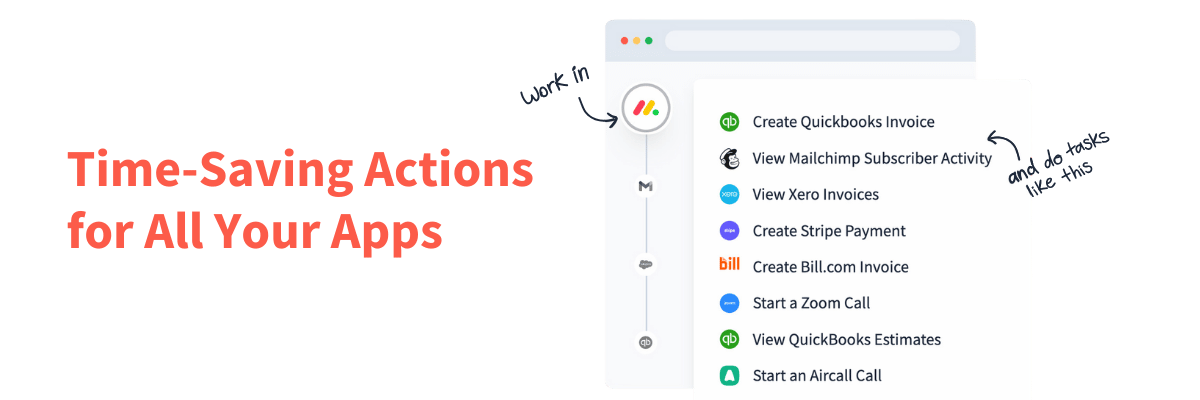
Thanks to Glances patented, no-code integration platform, the right people can see the right data and perform Actions across apps without adding risk, noise, or redundant processes.
Put an end to “can you check this for me?”
By securely connecting your stack of apps with Glances, your teams can finally stop chasing down data and start focusing on what matters: building stronger relationships and better customer experiences. Departments will gain more visibility, collaboration will improve, and bottlenecks will disappear. Your business will run faster, smarter, and more connected (exactly how modern teams should work).
Make your dream workflows possible with Glances
Start your free trial to connect your favorite business apps and access your data in one easy click, from any app or webpage. You can find and connect Salesforce, monday.com, QuickBooks, Mailchimp, and more apps when you are logged in to your Glances account.
More helpful steps
Schedule a demo to see the time-saving benefits of Glances in action or ask our team questions.
If you need to connect a specific app or platform with Glances that is not currently available on glances.com, please send your requests to hello@glances.com.
Find more step-by-step articles with the latest information on our support site.