Take Action: How Glances Supercharges the Helpdesk for Support Teams

Welcome to another article from our Take Action series, where we cover bite-sized ideas showing how different types of professionals can save time and enhance daily workflows using the power of Glances Actions.
In the world of customer support, every second matters in trying to get the full picture of a customer’s journey. Constantly shifting between apps to find helpdesk tickets, CRM details, important emails, and customer history (all while trying to deliver a fast and accurate response) is no small task.
That’s where Glances steps in to empower support agents with a secure, streamlined way to access and take action on live data from all their favorite workplace tools. Without the pains of switching tabs, breaking focus, and duplicating work, agents that rely on Glances get:
- One unified view of customer data across all apps
- Built-in and customizable Actions that automate repeatable tasks
- Team and individual-based permissions to safely access data
Let’s explore some of the endless ideas for how support agents can simplify daily tasks with Glances to reduce errors, clean up dysfunctional workflows, and shave off incredible amounts of time. After all, happier agents make for happier customers.
Action: Respond to customers with full context, instantly
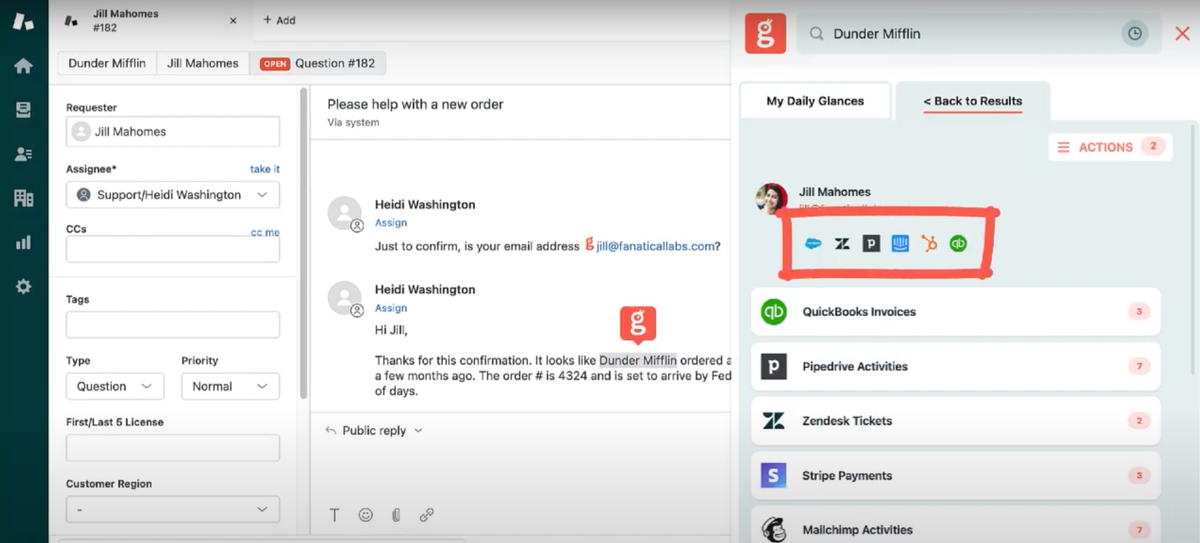
Support agents rarely work with just one app. A single ticket might require details from a CRM, past email conversations, e-commerce records, or even payment history. With Glances, agents can:
- View customer details from CRMs like Salesforce or HubSpot directly within apps like Zendesk, Help Scout, or Freshdesk
- See recent email threads from Microsoft Outlook, Gmail, etc. alongside support tickets
- Access order history or subscription status from Stripe, Shopify, or Recurly without logging in elsewhere
No more copy-pasting email addresses into multiple tabs. No more guessing whether the customer is a top-tier client or a first-time user. Glances pulls all relevant data into one view—right where the agent is working.
Action: Update CRM records without leaving your email inbox
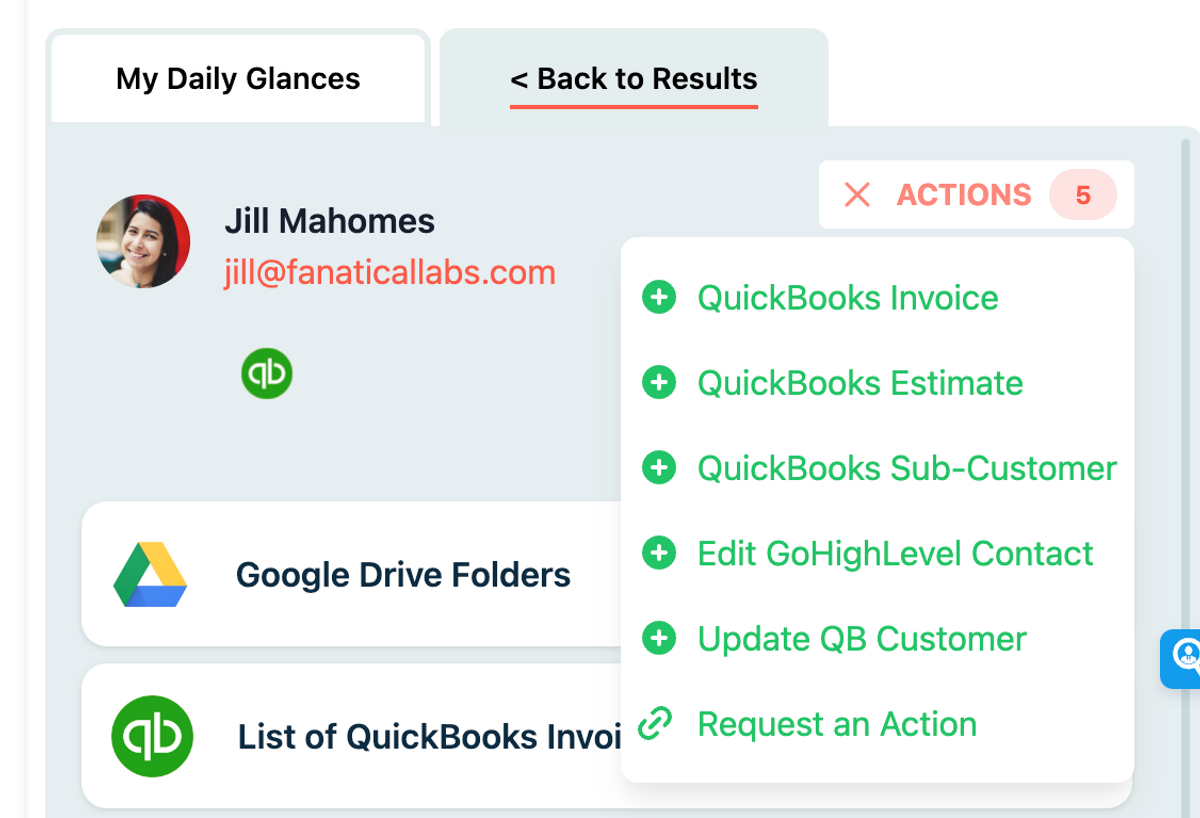
Whether they’re replying in Gmail or inside a ticketing platform, support reps often need to update or add notes to CRM contacts. With Glances, they can:
- Quickly add CRM notes to HubSpot, Salesforce, or Pipedrive while replying in Zendesk, Outlook, or Gmail
- Create follow-up tasks or support escalations using custom Glances Actions
- Keep records accurate and synced in the right system without logging in to core accounts
This means customer records stay clean and up to date, even when agents never open the CRM directly.
Action: Create and assign tasks on the fly
Support agents frequently identify follow-up actions, such as passing feedback to product teams, requesting billing help, or escalating issues. Using Glances, they can:
- Create tasks in monday.com, Asana, ClickUp, or Trello while chatting in Freshdesk or Help Scout
- Assign action items with prefilled customer details to ensure clear handoffs
- Launch Glances Actions from any web app to kick off consistent workflows
No more dropped handoffs or forgotten tickets. Glances makes next steps part of the flow, not an afterthought.
Actions work anywhere you prefer to work
Since Glances works anywhere online (browser extension, glances.com, and in-app with platforms like monday.com), you can stay working where you like while simultaneously completing dozens of different tasks across apps via the Actions menu. We have given some basic examples of platforms we see support teams gravitate to, but it’s important to understand how tailored Glances Actions can be for your company’s unique stack of apps and workflow needs.
How to get started with customized Actions
Any Glances customer can take advantage of Actions, which are included and available based on the apps you have connected. However, if you need to ramp up your daily workflows with less data entry and more automation, consider working with our team’s unique data mapping process to take Actions to the next level.
If you have questions about any Actions features and want to get started, check out our support article or email us at support@glances.com.
More helpful steps
Schedule a demo to see the time-saving benefits of Glances in action or ask our team questions.
If you need to connect a specific app or platform with Glances that is not currently available on glances.com, please send your requests to hello@glances.com.
Find more step-by-step articles with the latest information on our support site.