Take Action: How Glances Helps Accountants Keep the Books Clean

Welcome to another helpful article from our Take Action series, where we cover bite-sized ideas showing how different types of professionals can save time and enhance daily workflows using the power of Glances Actions.
Managing financial data across multiple platforms can feel like balancing on a perpetual tightrope. It only takes one wrong move to risk customer data errors, billing delays, or even compliance issues. To manage the books, accountants, bookkeepers, and entire finance firms often rely on a mix of business apps: anything from billing platforms like QuickBooks, FreshBooks, Bill.com, or Zoho Books to CRMs like Salesforce or HubSpot, to communication tools like Gmail or Microsoft Outlook.
But what happens when these tools don’t talk to each other and non-accounting teammates need access to the books? Teams end up wasting time switching tabs, re-entering data, and chasing down information across disconnected systems. That’s where Glances steps in to empower accounting professionals with a secure, streamlined way to access and take action on live data from all their workplace tools.
- One unified view of customer data across all apps
- Built-in and customizable Actions that automate repeatable tasks
- Team and individual-based permissions to safely access data
- Reduce data-entry errors to keep the books clean!
Let’s explore some of the endless ideas for how accountants, bookkeepers, and finance pros can simplify daily tasks with Glances to reduce errors, clean up dysfunctional workflows, and shave off incredible amounts of time.
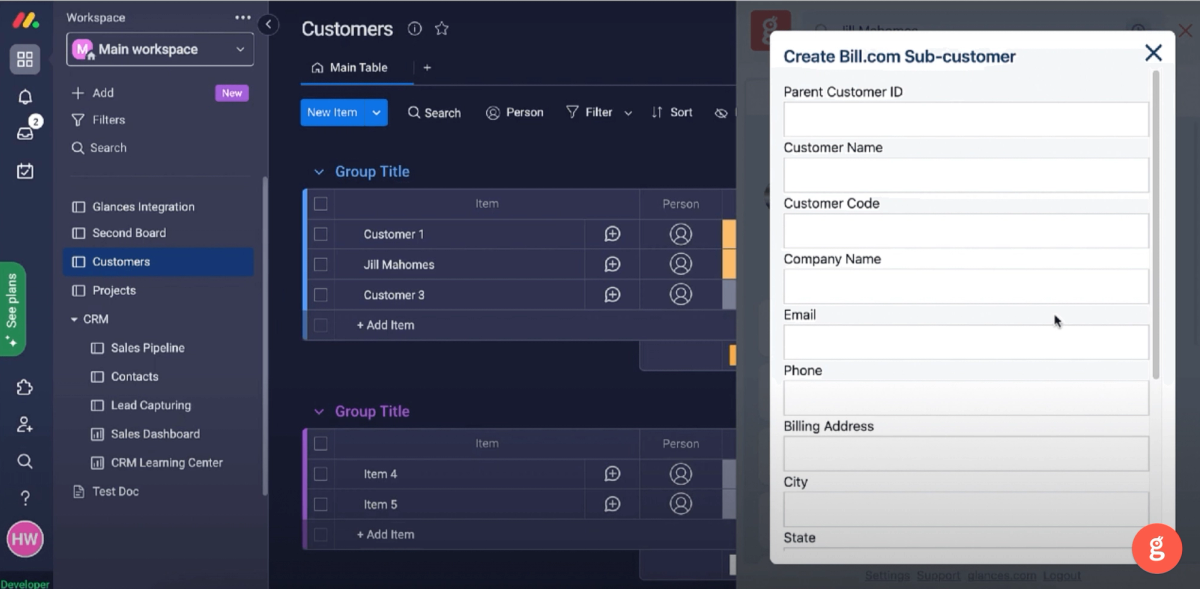
Action: Create new customers directly from your inbox (or any app)
Whatever your routine is, we know managing email is likely a big, recurring part of your workday. If you continually answer client questions about estimates or your billing processes in general, you can easily turn any new lead into an official customer in your favorite systems using these handy Glances Actions:
- Create customers and sub-customers for your accounting apps, such as QuickBooks, bill.com, etc.
- Create new vendors for making business payments from your preferred billing app
- Add new contacts for your CRM platform, such as Salesforce, HubSpot, Pipedrive, SugarCRM, Zoho CRM, etc.
Action: Create and send estimates, invoices, and more from the CRM (or any app)
Whether your accounting team has insights into the company CRM or client management apps like monday.com, Glances Actions help you stay on top of customers and projects, especially when it comes to preparing and sending estimates, invoices, and more. Quickly work through invoicing tasks in your platform of choice without the frustration of tab-toggling to your accounting app.
- Create and send estimates and invoices for apps like QuickBooks, FreshBooks, bill.com, etc.
- Create and refund payments for payment processing apps like Stripe
Action: Edit and resend estimates and invoices from support platforms (or any app)
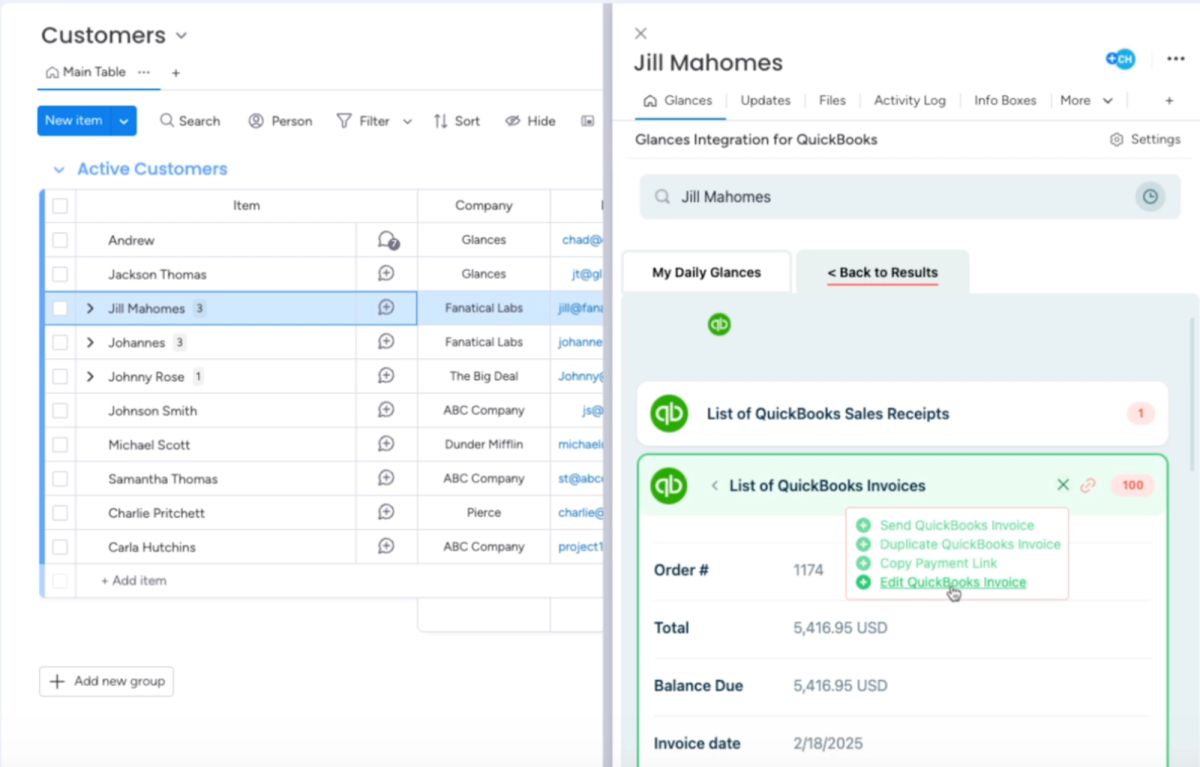
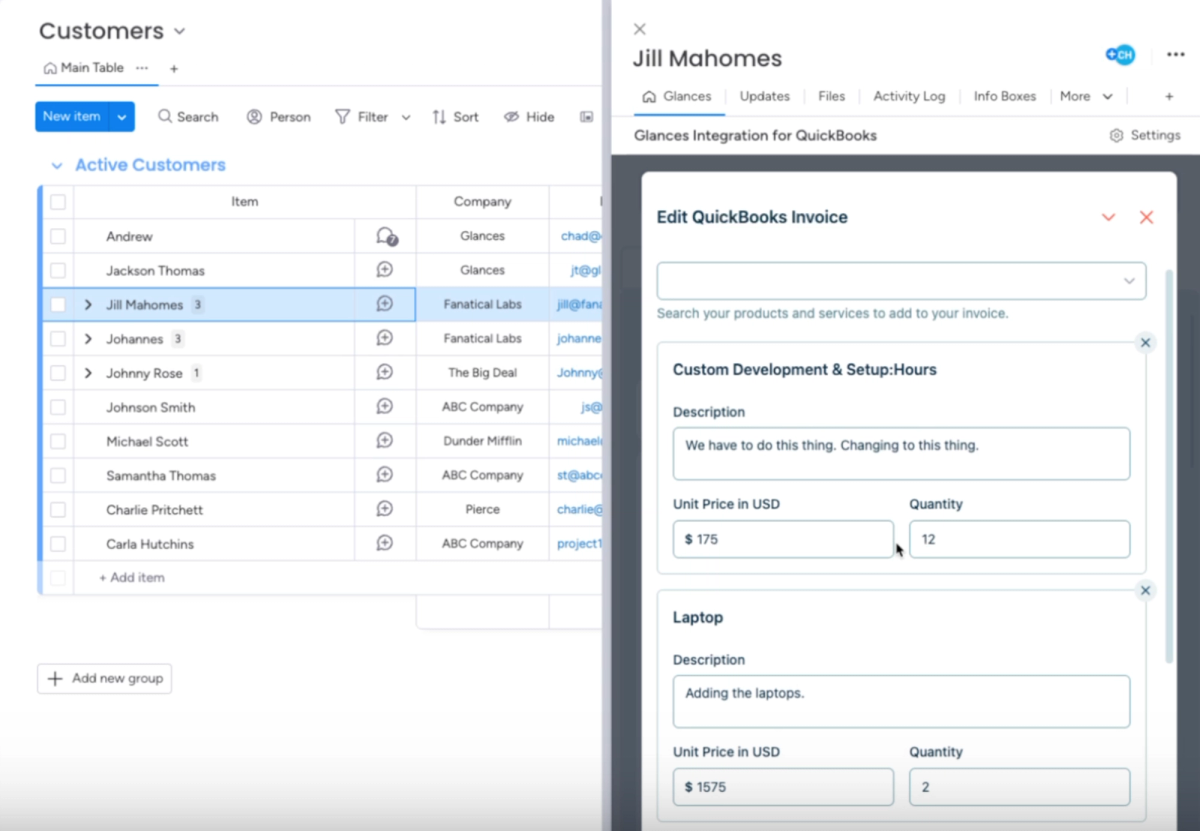
In cases where the support team escalates a customer ticket to accounting to correct a billing issue, fix an estimate amount, add a new product or service, etc. – there’s zero need for you to toggle away to apps like QuickBooks to resolve the issue and resend the document. Using Glances you can manage mistakes and edits while working anywhere online:
- Edit and resend estimates and invoices for apps like QuickBooks, FreshBooks, bill.com, etc.
- Convert estimates to invoices
- Create new products and services
- Duplicate invoices
Securely edit, update, and finalize accounting documents within Glances while working anywhere online. Take five minutes or take five weeks: whatever your invoicing workflow looks like, Glances is here to support you and your team in saving time and staying on task.
Why accountants depend on Glances
Glances doesn’t just save time—it protects your data integrity, improves accuracy, and keeps your workflow seamless. Whether you’re an independent bookkeeper or part of a large accounting firm, Glances makes multitasking across apps effortless and secure. Outside of saving serious time and clicks on everyday tasks, below are some immediate benefits of using Glances Actions for your favorite apps:
- Ensure QuickBooks customer data remains up-to-date
- Avoid tab switching and losing focus to complete routine tasks
- Enable users to update data without direct access to main QuickBooks account
- Avoid double data entry and keep the accounting books clean
- Update QuickBooks data without navigating away from your preferred platform
Review a full list of available accounting Actions on our support site.
Actions work anywhere you prefer to work
Since Glances works anywhere online (browser extension, glances.com, and in-app with platforms like monday.com), you can stay working where you like while simultaneously completing dozens of different tasks across apps via the Actions menu. We have given some basic examples of platforms we see salespeople gravitate to, but it’s important to understand how tailored Glances Actions can be for your company’s unique stack of apps and workflow needs.
How to get started with customized Actions
Any Glances customer can take advantage of Actions, which are included and available based on the apps you have connected. However, if you need to ramp up your daily workflows with less data entry and more automation, consider working with our team’s unique data mapping process to take Actions to the next level.
If you have questions about any Actions features and want to get started, check out our support article or email us at support@glances.com.
More helpful steps
Schedule a demo to see the time-saving benefits of Glances in action or ask our team questions.
If you need to connect a specific app or platform with Glances that is not currently available on glances.com, please send your requests to hello@glances.com.
Find more step-by-step articles with the latest information on our support site.