Start Zoom Meetings Instantly with Glances Actions

Another go-to Action for Zoom users
While Zoom meetings were once a pandemic necessity to keep business communications flowing, they have remained steadily used as an important connection tool for remote workers worldwide. Recent stats show that 700,000 businesses use Zoom and the video communications giant has 58% of Fortune 500 companies as part of its vast customer base (Demand Sage). At Glances, our remote team also relies on Zoom for internal meetings, demos with prospects, and support calls with customers.
We understand the need to spontaneously “Zoom” – in less clicks and without tab switching – is crucial for improving your daily workflows and performance, so we made it happen with a fresh Glances Action for Zoom. You and your team will be able to conveniently click to start a Zoom call directly within Glances without navigating away from your favorite website or workplace app. We’ll show you how to connect Zoom with Glances and get this feature up and running.

Getting started with this new Action for Zoom
Connect Zoom with Glances
1. Start a free trial and be sure to choose the Professional plan
2. Search for Zoom and any other apps you would like to add
3. Click + to add a Team or Personal Connection
4. Click Continue to allow Glances access to Zoom
5. Enter your Zoom login credentials
TIP: Current users can navigate to My Apps within the Glances dashboard and click the app’s gear icon. If you haven’t connected Zoom yet, you can add it.
Start a Zoom Meeting from Glances
1. Open your Glances browser extension
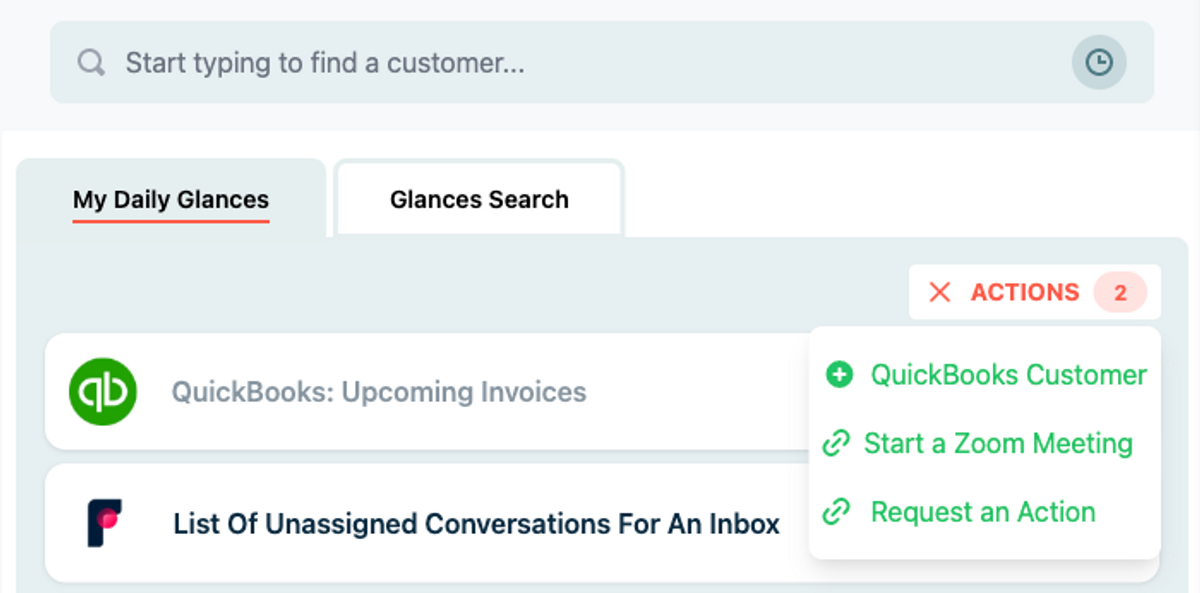
2. From My Daily Glances click the Actions menu
3. Select Start a Zoom Meeting
Note: This will launch a Zoom meeting using your Personal Meeting ID.
Get more details and help with connecting Glances and Zoom on our support site. You can also review a full list of available Actions and how to manage them, such as creating customers, creating invoices and estimates, refunding payments, sending applications, and many other multi-tasking functions.
What Actions can improve your daily workflow?
Did you know starting Zoom calls are possible for Glances users because one of our customers requested it? If you have an action or function in mind for any of your apps connected with Glances that will make your workday simpler, we’re here for it. Use our Request an Action calendar to select a time to briefly discuss your current apps and needs with our team.
Integrate all your favorite apps and perform Actions, using Glances
Start your free trial to connect your favorite business apps and access your data in one easy click, from any app or webpage. You can find and connect Zoom and more apps when you are logged in to your Glances account.
More helpful steps
Schedule a demo to see the time-saving benefits of Glances in action or ask our team questions.
If you need to connect a specific app or platform with Glances that is not currently available on glances.com, please send your requests to hello@glances.com.
Find more step-by-step articles with the latest information on our support site.