Glances with Help Scout: Keep Customers Delighted and Support Issues at Bay

Access your Help Scout data anywhere, using Glances
Excellence in customer support response time, service, and resolution are expected business practices these days. With so many platforms to choose from, Help Scout is a popular choice because it keeps support agents always updated on customer happenings with the comfort of feeling like an email inbox. If your team already uses Help Scout (or is considering it) as part of your tech stack, achieving a 360-degree view of your customer insights, personal tasks, and other essential work data is all possible without the need for messy and pricey software integrations.
Once you connect Help Scout with Glances, you can simplify your workday with the ability to instantly look up your conversation and contact data anywhere online, plus make your dream workflows possible with multi-tasking Actions. Worried about keeping your data error free? Using Glances, you can provide certain teammates with the customer support stats they need to see without granting them direct access to your company’s Help Scout account, so everyone wins!
The more business apps you connect with Glances, the more data you can see and tasks you can perform, all without navigating away from your work.

Why connect Help Scout with Glances?
As the apps in your tech stack quite literally stack up, the time-wasting burdens of app overload, tab-toggling, and context-switching take a major hit on your team’s productivity, every minute of every day. Glances was created to make all of your apps work together securely, helping your team build consistent processes that save time and reduce errors. Built with patented, no-code technology and backed by 5-star support, Glances has reimagined software integrations with all of the convenience and none of the data-syncing, downtime, and maintenance costs.
Connect Help Scout with Glances and you will be able to:
✔️ Quickly search Help Scout and all of your apps at once
✔️ Get fresh, real-time results in Help Scout (or anywhere online)
✔️ Perform actions for other apps while working in Help Scout
✔️ Give teammates data insights without access to core accounts
✔️ Eliminate clicks and tab-switching between apps
✔️ Avoid expensive and problematic 2-way data integrations
Available Help Scout views (we call these Glances)
When Help Scout is connected with Glances, you can stay informed of customer support happenings by viewing your contact data and related conversations, within any web app or platform you prefer to work in. You can also search and view live data across your other connected apps. Start by entering any contact’s name or email address in the Glances Search tab, or use the Glances Highlight and Search feature to auto-search. From there, any available data related to your contact will appear, filtered and organized per connected app. Scroll through the list and click to view the details. Check out how easy it is to use Glances in the animation below.
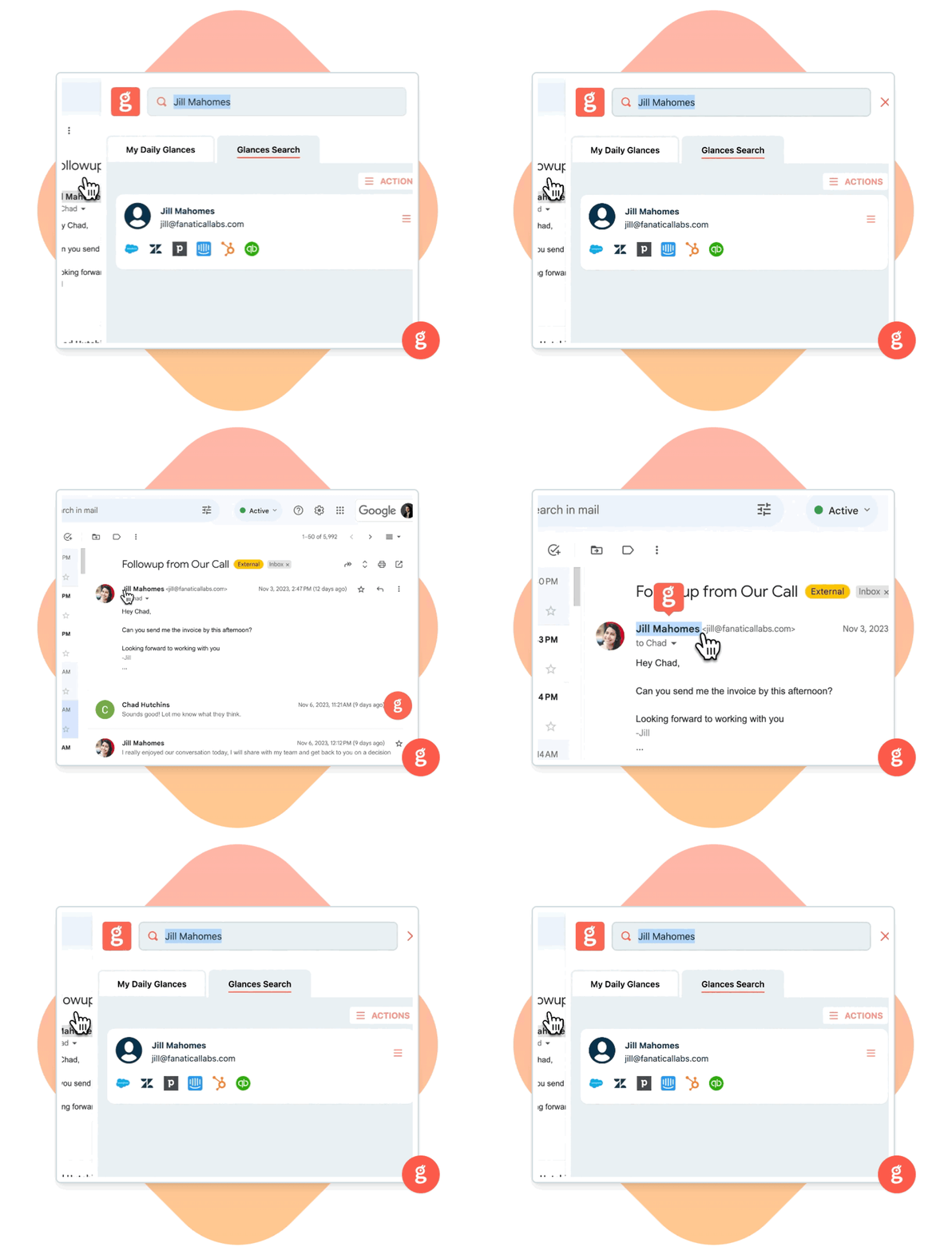
Get step-by-step help on how to connect Help Scout with Glances in our support article. Do you need to see an additional view or data set for Help Scout? Contact our team to discuss custom options for your business.
Automate tasks and improve workflows with Actions
Glances Actions are a time-saving feature that help you complete tasks in other apps without navigating away from the current web app, platform, or webpage you are working in. Customers save up to 20 minutes per routine task and also benefit from decreasing data entry mistakes. For example, you can stay focused working in Help Scout while simultaneously checking these to-dos off your list:
✔️ Create and send estimates and invoices
✔️ Add new products or services as line items
✔️ Start web calls and meetings
✔️ Initiate online payments and refunds
✔️ Create new customers and sub-customers
✔️ Complete online forms and more multitasking options!
If you have an action in mind for Help Scout or any of your apps connected with Glances that will streamline your current workflow, use our Request an Action calendar to select a time to briefly discuss your current apps and needs with our team.
Glances makes Help Scout and all your apps work together
Start your free trial to make your favorite business apps work together, perform time-saving actions, and realize your team’s dream workflows. Find and connect apps like Help Scout, monday.com, QuickBooks, Stripe, and others when you are logged in to your Glances account.
More helpful steps
Schedule a demo to see the time-saving benefits of Glances in action or ask our team questions.
If you need to connect a specific app or platform with Glances that is not currently available on glances.com, please send your requests to hello@glances.com.
Find more step-by-step articles with the latest information on our support site.