Ditch Open Tabs and Declutter Your Digital Workspace

January – the month of fresh starts – has a way of remotivating and reinspiring us. At work, it’s a natural time to reflect on what succeeded or flopped the previous year, reorganize your workspace, and plan ahead for better productivity. As you go about cleaning your digital space, be aware of a big offender that clutters your day and robs your valuable time: too many open tabs! Before you start feeling triggered by the hoard of open tabs in your browser, know that tab overload and toggling apps is widespread. With SaaS applications on the rise, it is easy to lose yourself in a sea of open tabs that keeps your preferred business platforms, websites, and other online resources readily available so you can complete your daily tasks.

Keeping tabs on your tabs
However you keep tabs on the tabs you are saving, having multiple open is affecting you both mentally and physically at work. Do you experience any of these not-so-fun side effects?
✔️ Increased stress levels due to clutter and chaos caused by too many tabs open at once
✔️ Elevated eye fatigue and headaches resulting from frequent switching between tabs
✔️ Reduced focus and productivity in the workplace stemming from excess tab overload
✔️ Slowed system performance as a result of having multiple programs running simultaneously
✔️ Difficulty locating items quickly due to lack of organization or labeling
Closing some tabs can be easy, especially if you completed a simple task such as filling out a website form or leaving a support comment. Closing other tabs is not so easy, and dare we say, a bit more emotional and stressful? Perhaps you spent a few hours painstakingly searching the internet for some industry research. Once you found the right resource article, you saved it as an open tab for fear of losing it later. Or, what if your boss sent you a demo video to review, but you need to save it as another open tab to watch later. If you work in business apps like QuickBooks, CRMs like SugarCRM or Salesforce, and any other platform – those will all remain open as additional tabs. This is why most of us have become tab togglers and tab hoarders.
Close your tabs to open time and space for improved focus
With fewer apps and websites open at once as well as an efficient tab management system in place, you can experience 1) improved focus and performance at work, and 2) greater peace of mind due to reduced stress levels associated with clutter chaos.
While productivity-focused platforms like Sidekick and Shift help organize tabs and platforms into an outside-of-the-box view, they still do not solve the complete issue of providing users with the ability to view data across multiple business apps in one simplified view. Glances delivers a different approach to resolve the multi-tab, app-switching, focus-destroying dilemma many of us face every workday.
Glances helps you keep tabs on your data without all the tabs
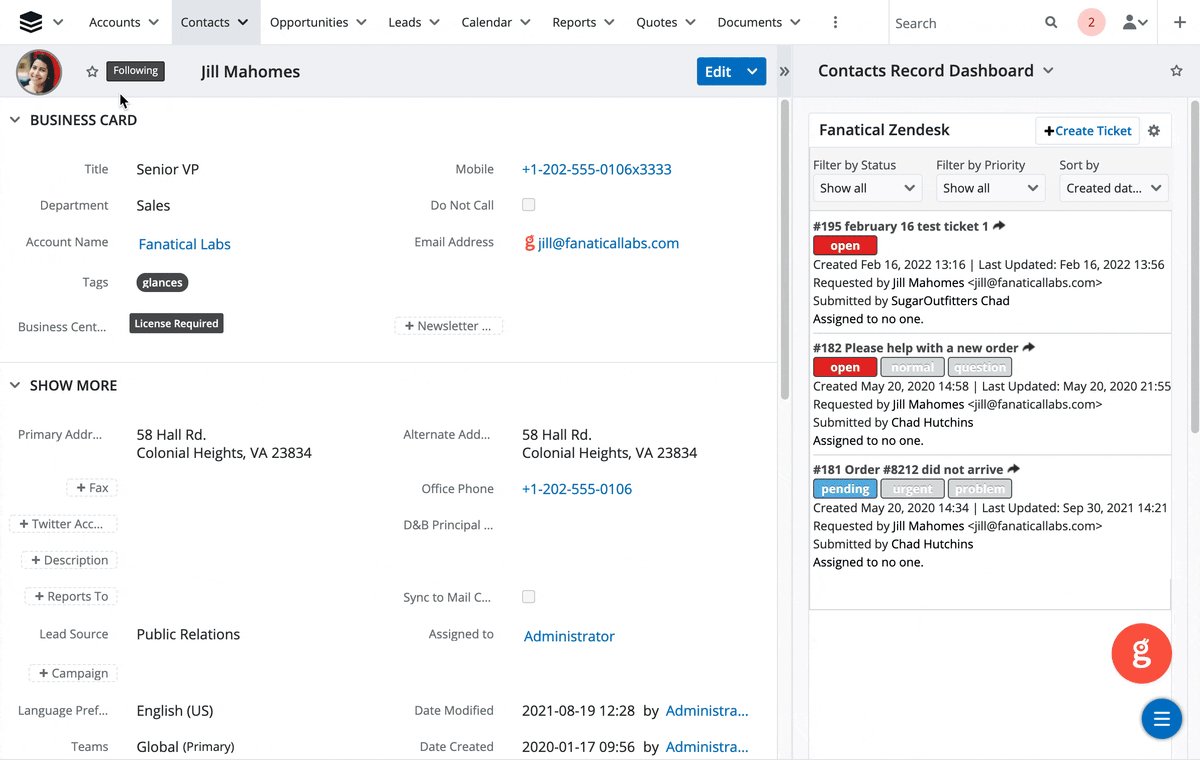
Built as a no-code integration platform, Glances securely connects all of your apps and provides a simplified view of the data you need in real time, no coding necessary. Since it works on any webpage you visit and within any app you use, you can stay focused working in your platform of choice and start closing out all those extra tabs.
✔️ Search all of your apps at once
✔️ Get fresh, real-time results
✔️ Prevent tab switching between apps
✔️ Eliminate clicks – save time on each interaction
✔️ Use Glances Actions to perform tasks for one app while working in another
It’s clear that SaaS applications and excessive open tabs can have a significant impact on workplace efficiency. By limiting the number of apps running at once as well as closing out unnecessary browser tabs, you can improve focus and productivity levels while avoiding cognitive overload. It’s important to take time management seriously in order to ensure maximum performance during work hours. With proper tab management, you will be better equipped to tackle any task with confidence.
Integrate your apps and close tabs with Glances!
Start your free trial to connect your favorite business apps and access your data in one easy click, from any app or webpage. You can find and connect apps when you are logged in to your Glances account.
More helpful steps
Schedule a demo to see the time-saving benefits of Glances in action or ask our team questions.
If you need to connect a specific app or platform with Glances that is not currently available on glances.com, please send your requests to hello@glances.com.
Find more step-by-step articles with the latest information on our support site.