Stop Guessing with Glances Full Conversation View

See the full story, anywhere
In fast-paced workflows, disjointed access to partial data is a productivity killer. Email threads, support ticket conversations, internal team notes, order comments: teams are constantly moving and updating details across business apps to get tasks done and keep customers happy. Don’t get left in the dust app-switching your way to the latest answers in a fragmented format.
One fan-favorite feature Glances offers is the ability to instantly see full, time-stamped conversation threads from many different platforms in one simple workspace (we refer to this as the conversation view.
Supported apps for this feature:
- Email platforms like Gmail, Microsoft Outlook, etc.
- Support ticketing platforms like Zendesk, Freshdesk, Help Scout, Intercom, etc.
- Bank appraisal platforms like YouConnect
- Use another app where comments or chats take place? Submit a request.
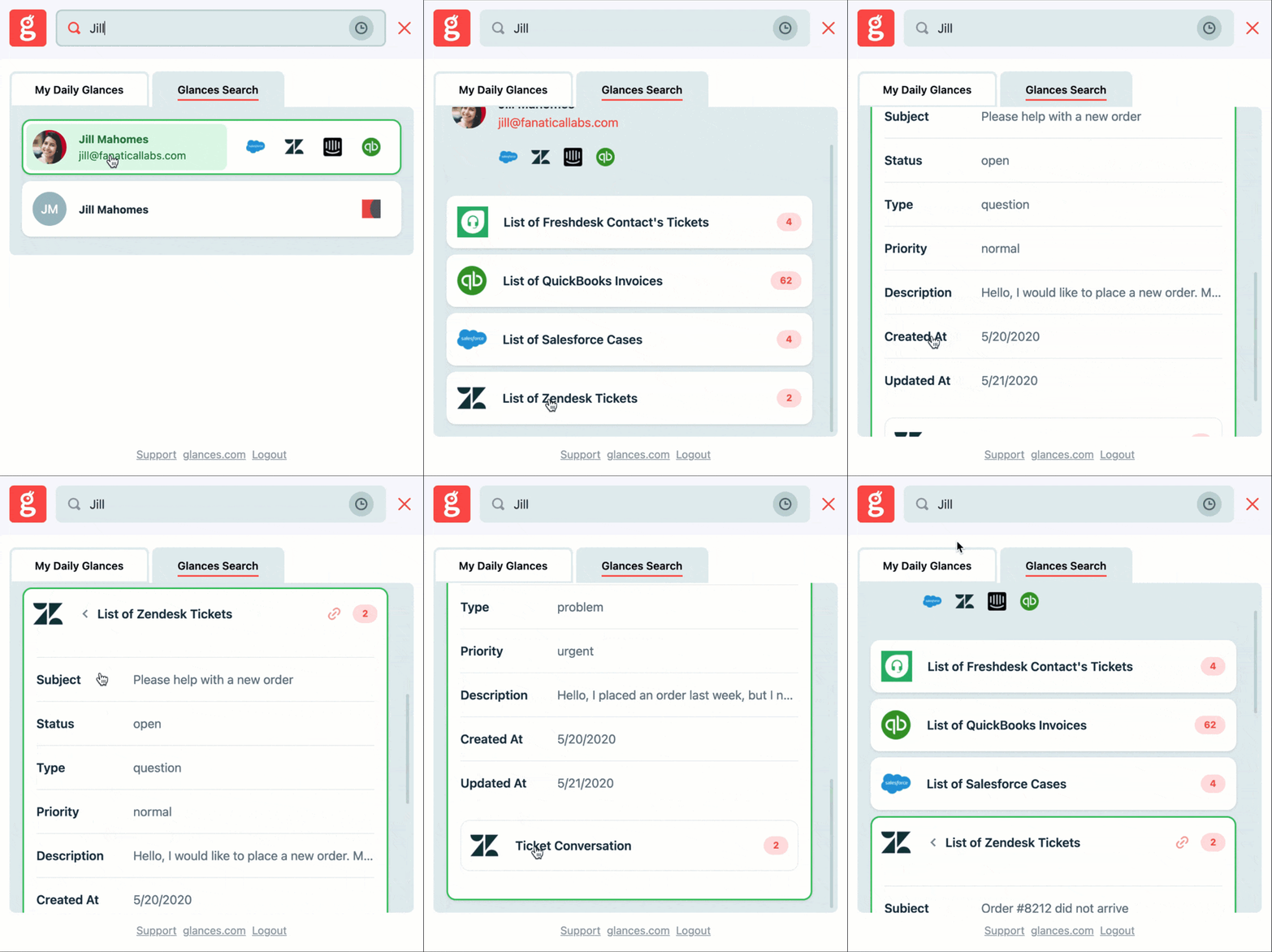
How it works
Glancey’s smart detection
Glancy will stamp a helpful ‘g’ next to any identifiable data point (like a contact’s email or order number). Click it to open Glances and unlock all related details across apps, instantly.
Instant context, right where you work
Whether you prefer working in your CRM, support portal, or any web app, Glances provides a 360-degree view of your data across apps (including conversation threads) with zero context switching.
All your tools in one view
No more toggling between Intercom and Zendesk or hunting for that missing snippet of key information—Glances blends them into one context-rich view.
For support-related apps, the conversation view extends the data you can see by providing not just the details of a ticket or conversation, but also the individual responses between the customer and your team. Note that timestamps on any conversation will appear in the user’s time zone, based on their browser settings. Watch how it works in the quick animation above.
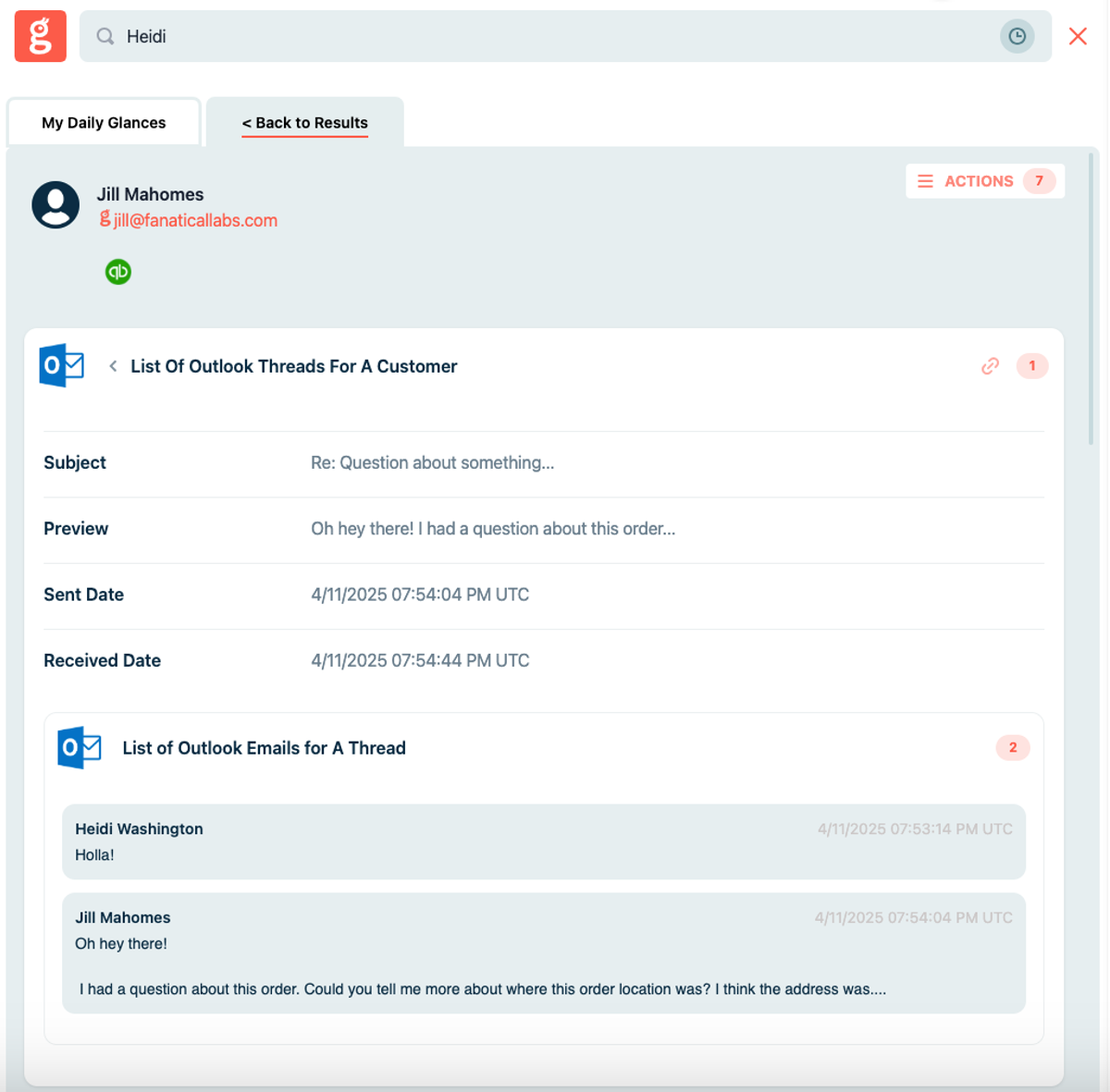
View your related email threads
Let's say you're working in your CRM or support ticketing platform. While some of your customer's information lives within those systems, you also have separate emails with that customer in your Outlook account. Instead of toggling between apps to piece together the complete story, you can use Glances to see it all in one view.
Simply use Glances to search for any customer and you'll be able to see any related back-and-forth email conversation threads associated with them. Check it out in the product screenshot above.
What conversations do you need to see?
For Glances users, the sky is the limit with this added feature. So, think about what additional data you would like to see and how it can give your team complete context. Consider it for your customer chat apps, conversational marketing platforms, or even specific line-item data. Send your preferences to our team so we can review your current tech stack and help make it happen.
Achieve your dream workflows with Glances
Start your free trial to make your favorite business apps work together and perform time-saving Actions. You can find and connect apps like Salesforce, QuickBooks, Zendesk, Stripe and more when you are logged in to your Glances account.
More helpful steps
Schedule a demo to see the time-saving benefits of Glances in action or ask our team questions.
If you need to connect a specific app or platform with Glances that is not currently available on glances.com, please send your requests to hello@glances.com.
Find more step-by-step articles with the latest information on our support site.