Santa Sleighs the Day Using Glances

If you had assumed a pack of enthusiastic elves and a loyal lineup of reindeer were Santa’s secret weapons to make the business logistics behind Christmas happen, we are here to disrupt that common mis-gnome-er. Just like us working professionals, CEO Santa has evolved. As Chief Elf Officer, he relies on the latest technology and Software as a Service apps to keep his Naughty-or-Nice List organized, ensure his elf employees stay on task with toy-building, and gain a 360-degree view of his customers’ data – little to big kids alike.
Follow along as we have a bit of holiday fun, covering a few ways Santa uses Glances in his workshop to keep the wonders of Christmas operating at maximum productivity levels. In a nutcracker: he sleighs the day by connecting all of his must-have apps with Glances.
Understand the big picture in one magical view
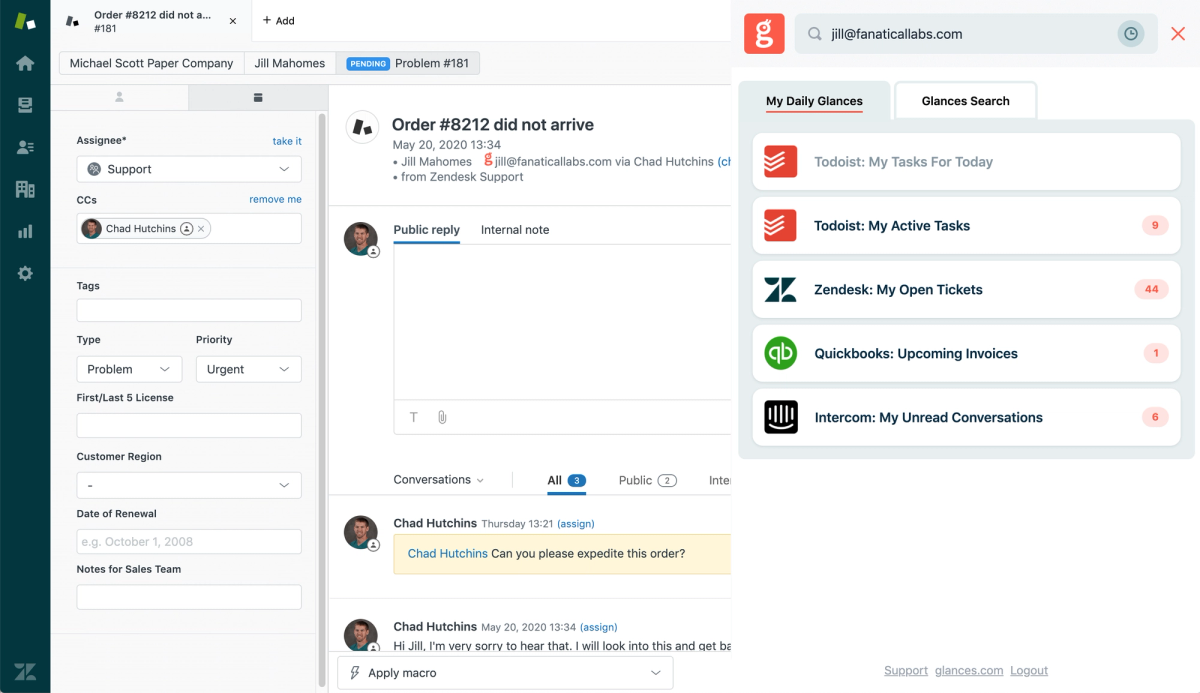
Santa is all-knowing, but that takes a lot of magical energy to achieve. He reserves some magic by relying on the powers of Glances to integrate all of his favorite workshop apps – from Gmail and Mailchimp to QuickBooks and Zendesk – so he can know everything there is to know about each customer, including if they have been naughty or nice.
As long as Ni-Fi is connected (that’s the North Pole’s Wi-Fi), Santa uses Glances anywhere online to search by name, email, and other text to see live data across multiple apps in one glorious view. The ability to quickly access relevant data from a single source of truth is the gift that keeps on giving. After all, only The Grinch deserves to waste time toggling apps and endlessly searching for data. Learn 3 simple ways Santa and his team search Glances in the quick video below.
Invoice third-party workshops and review data with ease
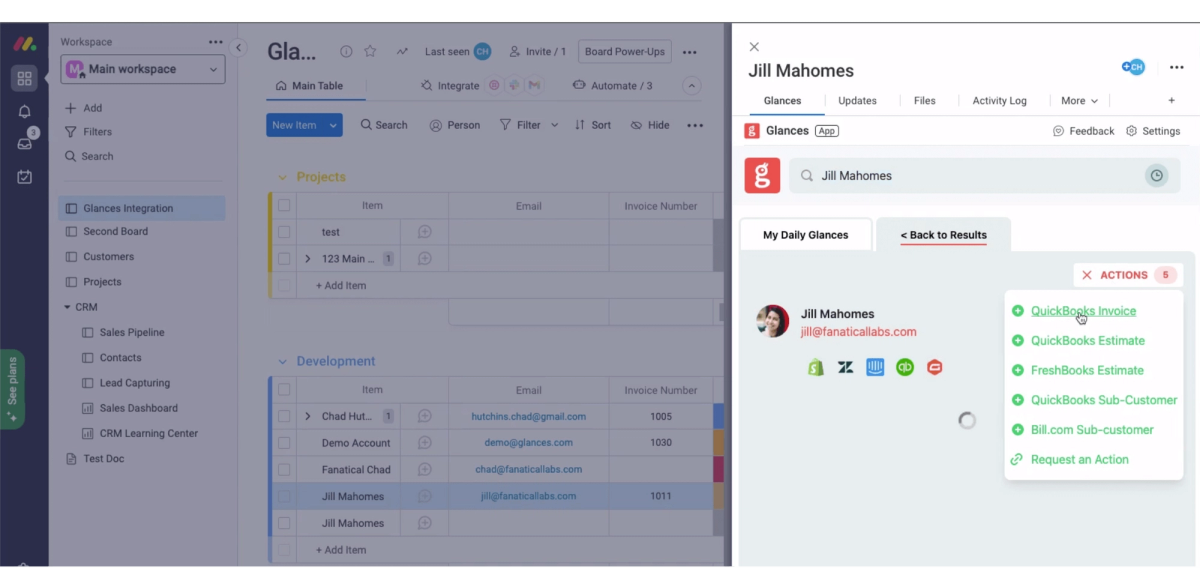
Santa has a few local workshops in the North Pole that he entrusts to execute his toy designs to meet a growing customer demand. With accounting apps like QuickBooks, Bill.com, and FreshBooks connected with Glances, he uses Actions to create and send estimates and invoices while working anywhere online without having to literally log in to each platform (bah humbug). Since the elves are nimble woodworkers but lousy accountants, Santa gives his team visibility to billing data without direct access to main accounts. Using Glances, accounting data remains clean and error free, so everyone can keep having a holly-jolly good time.
Keep tabs on elf projects and personal to-dos anywhere
“These toys can practically make themselves,” said no elf ever. It takes a lot of strategic planning, materials purchasing, team training, and project management software to create new toys 365 days of the year (with zero breaks)! That’s why Santa relies on popular apps like Asana, monday.com, Todoist, and more to manage the elves’ workload so it doesn’t snowball to abominable proportions. With these apps connected to his Glances account, Santa is able to effortlessly view project boards and daily tasks while working in any app or visiting any webpage. Huzzah!
Thanks for joining us on this magical and metaphorical sleigh ride through Santa’s headquarters. However you plan to celebrate this season – Hannukah, Kwanzaa, Christmas, or another festive tradition – know that Glances can be the shining star (or best-kept secret) that makes your workday simpler and more effective. With a free trial and A+ support staff to help your team get started, there’s nothing to lose and everything to gain.
Start sleighing your own workdays with Glances
Start your free trial to connect your favorite business apps and access your data in one easy click, from any app or webpage. You can find and connect apps when you are logged in to your Glances account.
More helpful steps
Schedule a demo to see the time-saving benefits of Glances in action or ask our team questions.
If you need to connect a specific app or platform with Glances that is not currently available on glances.com, please send your requests to hello@glances.com.
Find more step-by-step articles with the latest information on our support site.