New Feature: Now View Product Line Items from Shopify Orders

Drill down to the line-item details of your Shopify orders
Our development team recently launched a new and improved view for Glances users that have Shopify as one of their connected apps. Now you can drill down even further to your sales data with the ability to see product line items per Shopify order, all while working within any app or webpage. This update will empower your customer support, inside sales, and other teams to quickly and precisely understand what products a customer has purchased to better assist them with billing questions, refunds, shipping statuses, and other daily tasks.
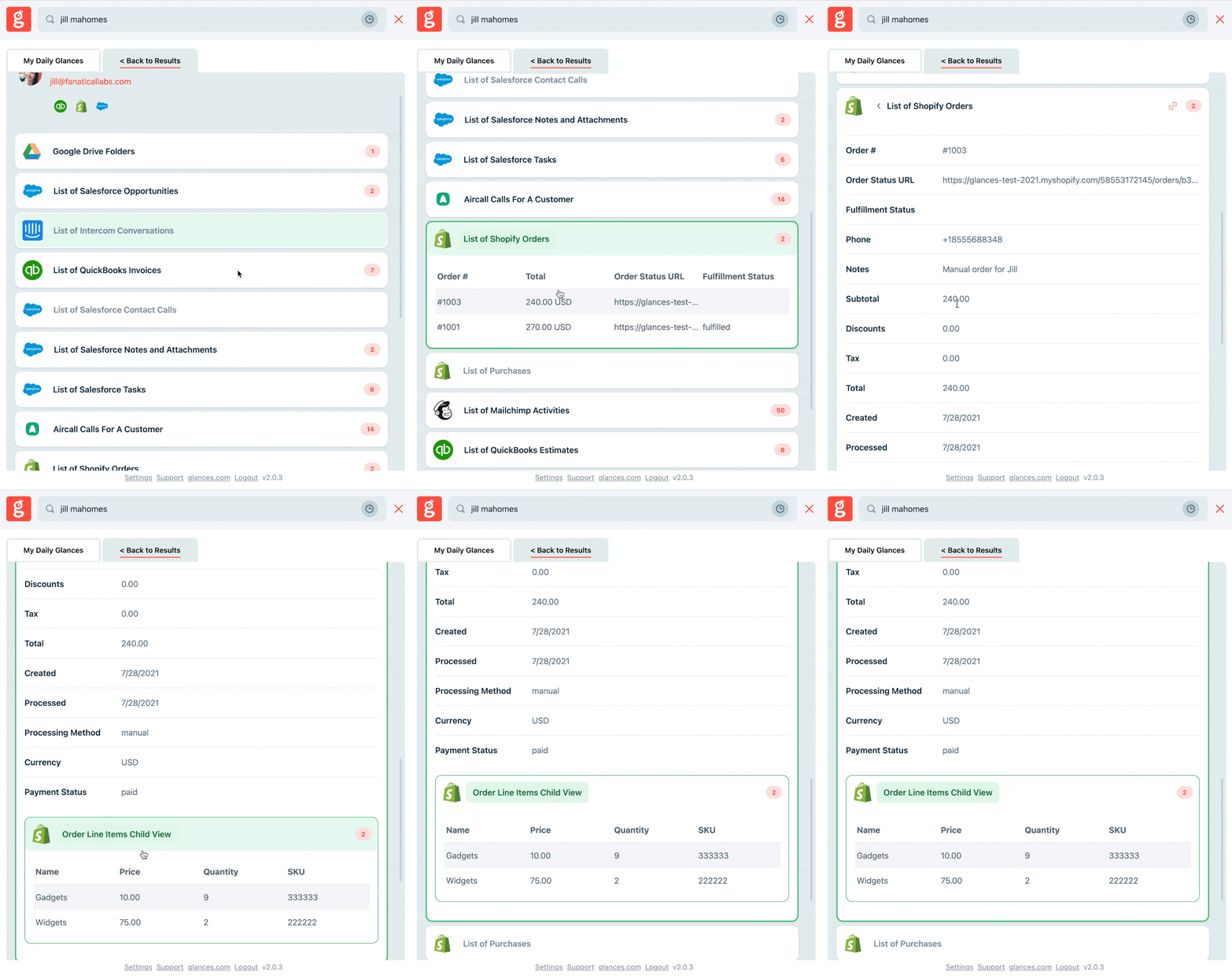
See what it’s like to quickly search and view your Shopify orders and line items in the animation below.
Getting started with this feature
If you are new to Glances or have not yet added Shopify as a connected app, this line-item view will automatically work once you connect Shopify. If you have previously connected Shopify within your Glances account, you can follow these simple steps below to take advantage of this update:
1. Log in to your glances.com account and visit your Dashboard
2. Under My Apps, find the Shopify app tile
3. Click the gear icon in the top right corner, then click Remove App
4. Once removed, click the + sign to add a new app, search for Shopify, then re-connect the app
Follow this support case article for more instructions on connecting Shopify with Glances or submit a request if you need help from our team.
What actions can improve your daily workflow?
If you have an action or function in mind for Shopify or any of your apps connected with Glances that will make your workday simpler, we’re here for it. Use our Request an Action calendar to select a time to briefly discuss your current apps and needs with our team.
Integrate all your favorite apps and perform actions, using Glances
Start your free trial to connect your favorite business apps and access your data in one easy click, from any app or webpage. You can find and connect Shopify when you are logged in to your Glances account.
More helpful steps
Schedule a demo to see the time-saving benefits of Glances in action or ask our team questions.
If you need to connect a specific app or platform with Glances that is not currently available on glances.com, please send your requests to hello@glances.com.
Find more step-by-step articles with the latest information on our support site.