Glances with Xero: View Your Accounting Data Anywhere and Keep It Clean

Access your Xero accounting data anywhere, using Glances
For any small business running its books online, Xero accounting software is a prime choice to seamlessly manage finances and cash flow while also being able to integrate today’s top apps. If your team uses Xero as part of your growing tech stack, achieving a 360-degree view of your customer insights, personal tasks, and other essential work data is all possible without the need for messy and pricey software integrations.
Once you connect Xero with Glances, you can simplify your workday with the ability to instantly look up your accounting data anywhere online. Worried about keeping the books error free? Using Glances, you can provide certain teammates with the accounting stats they need to see without granting them direct access to your company’s Xero account, so everyone wins!
The more business apps you connect with Glances, the more data you can see and multi-tasking actions you can perform – all in one convenient view.

Why connect Xero with Glances?
As the apps in your SaaS stack grow, Glances empowers you with a single view of your customer insights and personal tasks across multiple apps, in real time. Built as a no-code integration platform that works on any webpage you visit or within any app you use, Glances helps you and your team eliminate roadblocks and streamline workflows.
✔️ Search Xero and all of your apps at once
✔️ Get fresh, real-time results anywhere online
✔️ Eliminate clicks and tab switching between apps
✔️ Perform actions for one app while working in another
✔️ Give teammates data insights without direct access to Xero
✔️ Avoid costly and problematic 2-way data integrations
Available Xero views (we call these Glances)
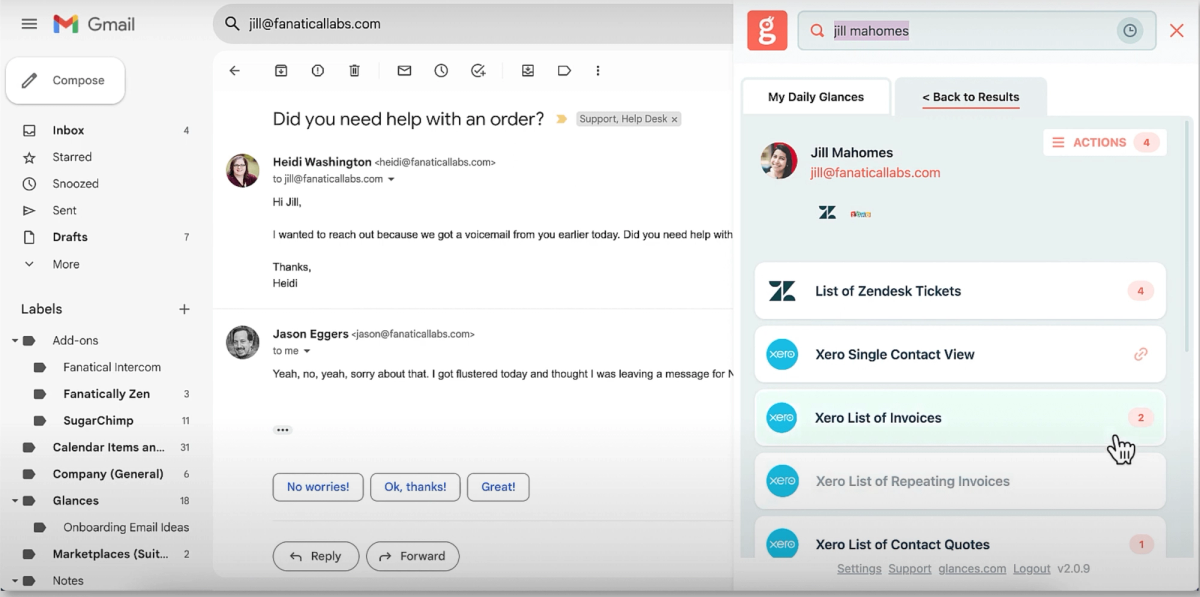
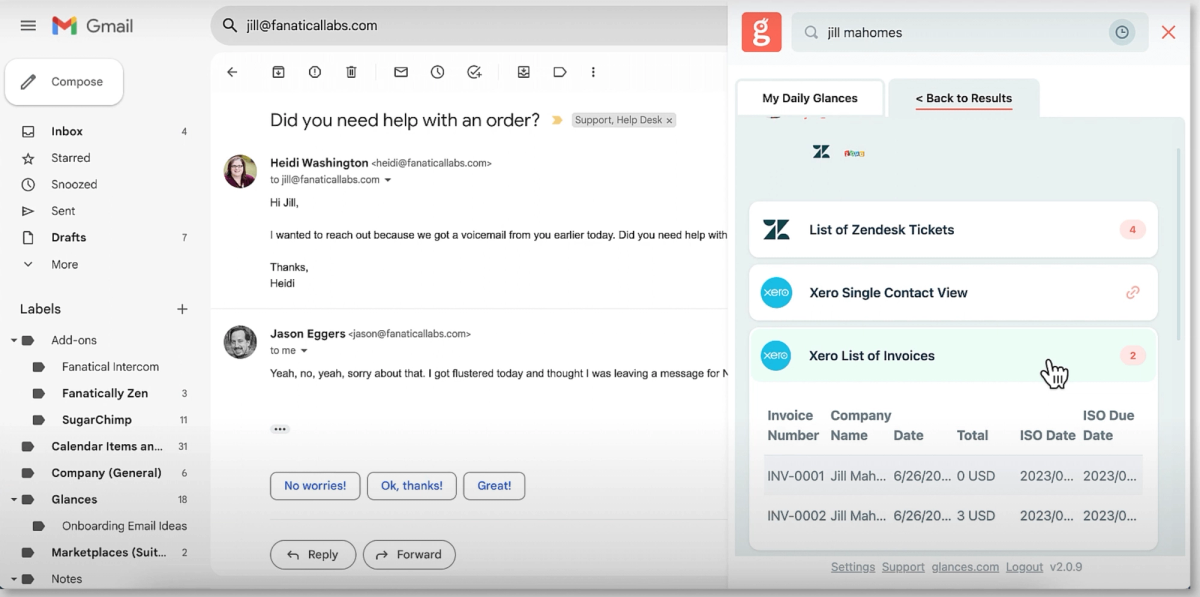
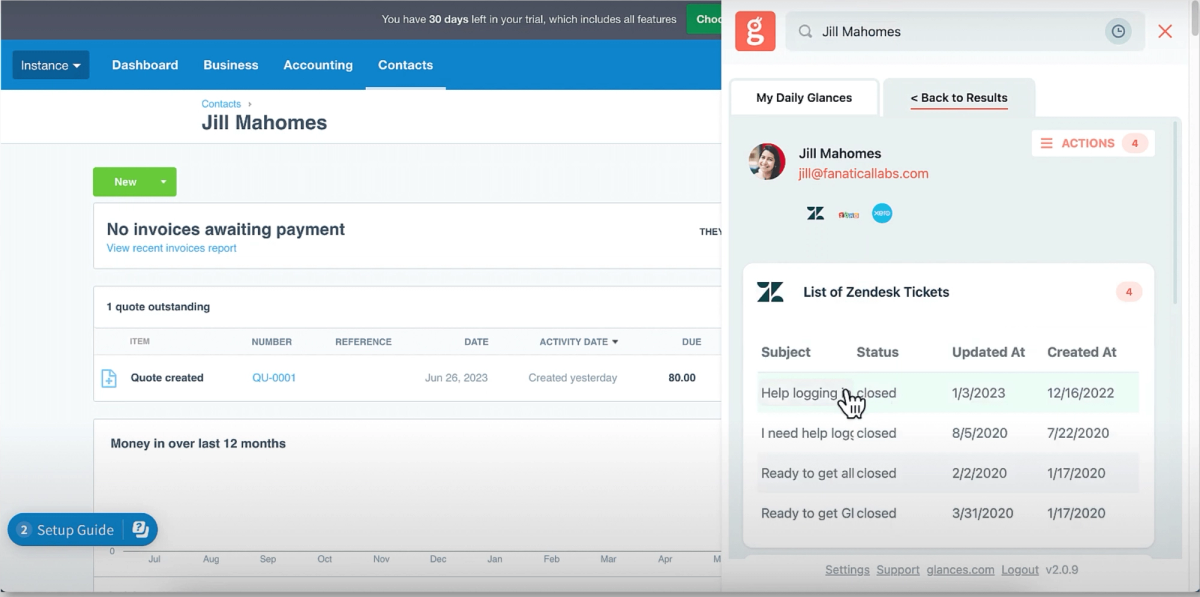
When Xero is connected with Glances, you can view your contact’s related accounting data, such as quotes, invoices, and more, within any web app or platform you prefer to work in. You can also search and view live data across your other connected apps. Start by entering any contact’s name or email address in the Glances Search tab, or use the Glances Highlight and Search feature to auto-search. From there, any available data related to your contact will appear, filtered and organized per connected app. Scroll through the list and click to view the details.
In the product shots below, see what it’s like to view data from Xero and your other favorite apps anywhere online using Glances.
Get step-by-step help on how to connect Xero with Glances in our support article. Do you need to see an additional view or data set for Xero? Contact our team to discuss custom options for your business.
Simplify tasks and workflows with Actions
Glances Actions are a time-saving feature that help you complete tasks in other apps without navigating away from the current web app, platform, or webpage you are working in. For example, you can stay focused in your CRM platform while simultaneously creating a new estimate, invoice, or application for a customer – no need to toggle to other apps to handle each task.
If you have an action in mind for any of your apps connected with Glances that will make your workday simpler, use our Request an Action calendar to select a time to briefly discuss your current apps and needs with our team.
Getting started with Glances and Xero
Immediate ways to view your Xero data using Glances
1. By Browser
Once the Glances browser extension is installed and you have connected your favorite apps, there are a few ways to access the data you need:
✔️ Click the Glances widget in the corner of the page to begin a manual search or view your upcoming tasks.
✔️ Click on any Glancey-stamped email address on any webpage you are viewing to see related data.
✔️ Try Glances Highlight and Search to auto-search by name, email, order numbers, and more criteria.
✔️ Use the My Daily Glances tab to view your personal tasks across apps: scheduled meetings, to-dos, and more.
2. By Web and Mobile
If you have an internet connection, you can access your Glances from anywhere, on any device. Log in to your glances.com account, locate the top search bar, then enter any contact’s name or email address to view any related data across your apps. For the best mobile experience, go to m.glances.com, log in, and start your search.
3. By Other Apps
Glances has in-app functionality with workplace platforms like monday.com. Learn more about connecting these two powerful platforms and stay tuned for more in-app product launches.
Glances is your go-to hub for multiple apps, not just Xero
You and your team already depend on apps like Xero every day for managing workloads and workflows, but we realize you likely spend a lot of time in other applications important to your job. Finding both personal tasks and customer insights within various web apps is a huge, time-consuming struggle. Allow Glances to bring your favorite apps together, securely showing your data in a single view from whatever app you are using.
Integrate Xero with all your favorite apps, using Glances
Start your free trial to connect your favorite business apps and access your data in one easy click, from any app or webpage. You can find and connect Xero when you are logged in to your Glances account.
More helpful steps
Schedule a demo to see the time-saving benefits of Glances in action or ask our team questions.
If you need to connect a specific app or platform with Glances that is not currently available on glances.com, please send your requests to hello@glances.com.
Find more step-by-step articles with the latest information on our support site.