Feature Update: Easily Manage Apps and Add Personal Connections

Current users may have noticed some helpful platform updates our development team rolled out earlier this week. Follow along as we cover what’s new and how it will enhance your Glances experience.
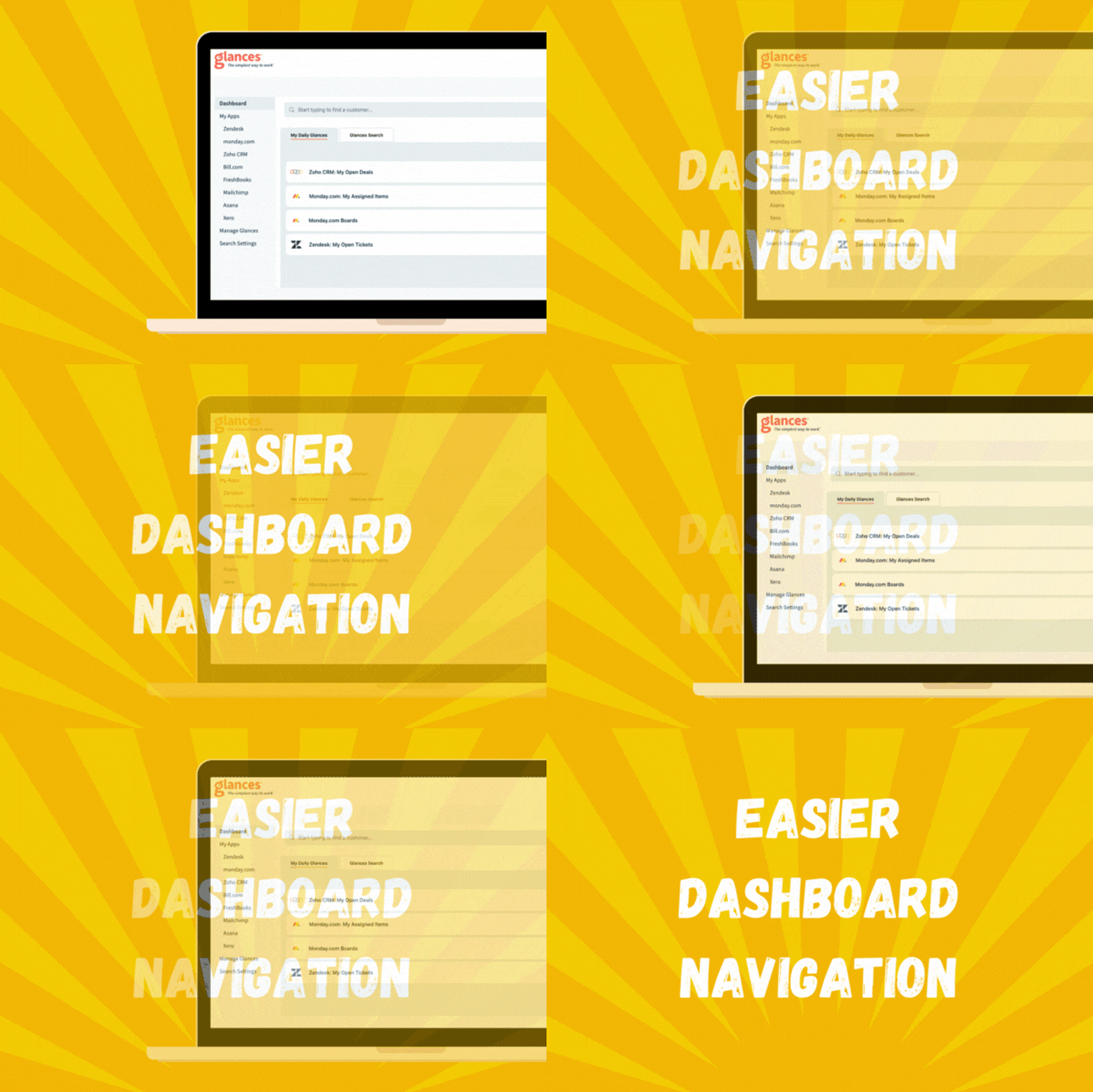
1. Simpler navigation and connection process
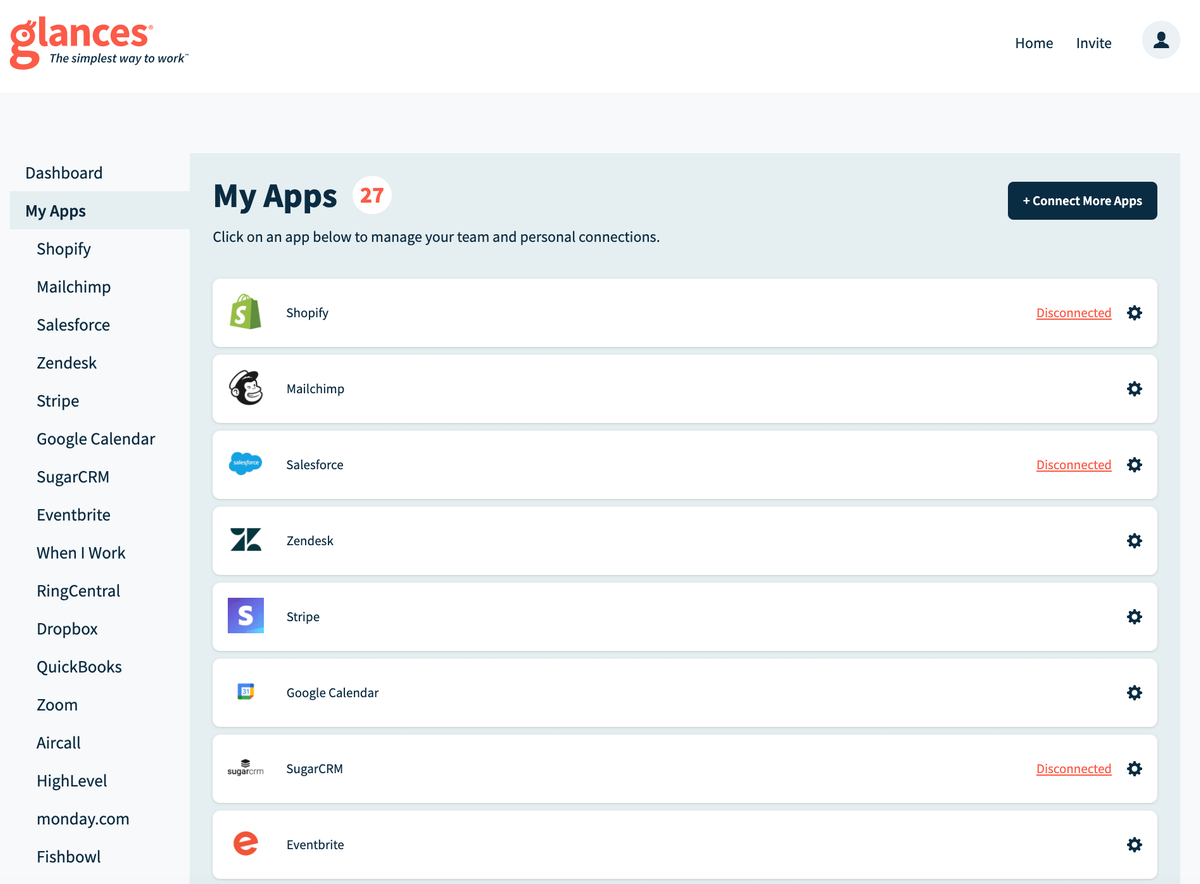
The Glances dashboard is the place to be, from utilizing our search to see your live data anywhere to connecting and controlling your favorite business apps. We have now streamlined the dashboard and enhanced the process of managing all the apps you need. Under Dashboard, click on My Apps to view your entire list of connected apps and edit your team and personal connections. Or you can use the left side navigation, which lists out your apps, to quickly edit your connections. We think you’ll enjoy this front-and-center view of your connected apps. See how it looks in the product shots below.
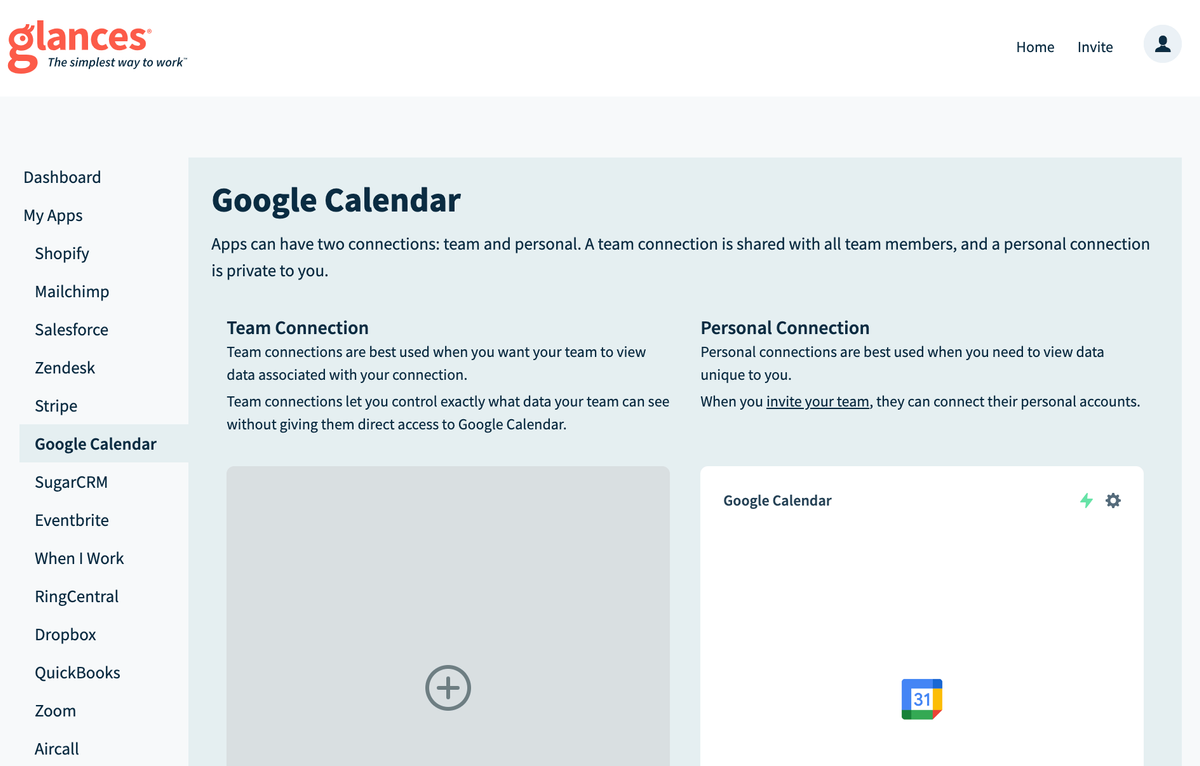
2. Introducing personal connections – view data that’s private to you!
Personal connections is another new feature our team is thrilled to announce because it will help your team create more meaningful ways to engage with work. With this included update, you can conveniently have both team and personal connections, providing easier access to calendars, tasks, and more whether strictly work-related or not. While a team connection is shared with all team members, a personal connection is private to you.
Get started by linking your personal account to add a personal connection. Viewing the data you need across multiple SaaS apps has never been easier!
What Actions can improve your daily workflow?
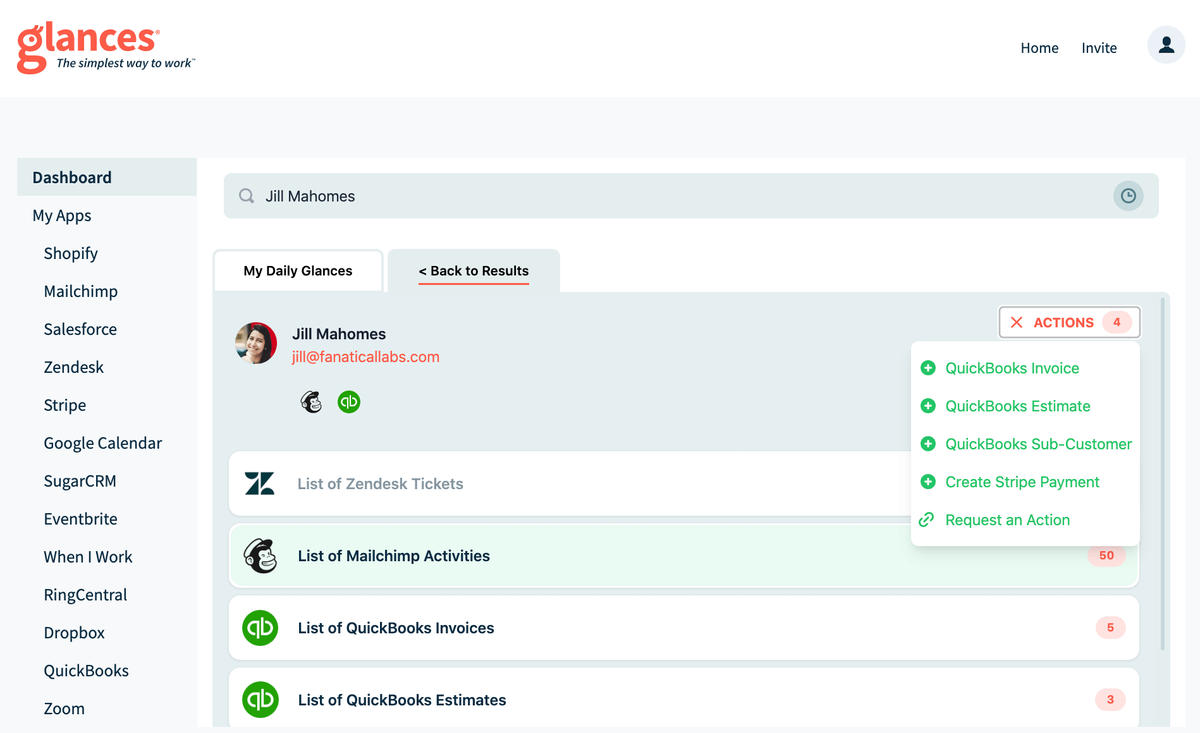
Glances Actions are a time-saving feature that help you complete tasks in other apps without navigating away from the current web app, platform, or webpage you are working in. For example, you can stay focused in your CRM platform while simultaneously creating a new estimate, invoice, or application for a customer – no need to toggle to other apps to handle each task.
If you have an action in mind for any of your apps connected with Glances that will make your workday simpler, use our Request an Action calendar to select a time to briefly discuss your current apps and needs with our team.
Integrate all your favorite apps, using Glances
Start your free trial to connect your favorite business apps and access your data in one easy click, from any app or webpage. You can find and connect apps when you are logged in to your Glances account.
More helpful steps
Schedule a demo to see the time-saving benefits of Glances in action or ask our team questions.
If you need to connect a specific app or platform with Glances that is not currently available on glances.com, please send your requests to hello@glances.com.
Find more step-by-step articles with the latest information on our support site.